32
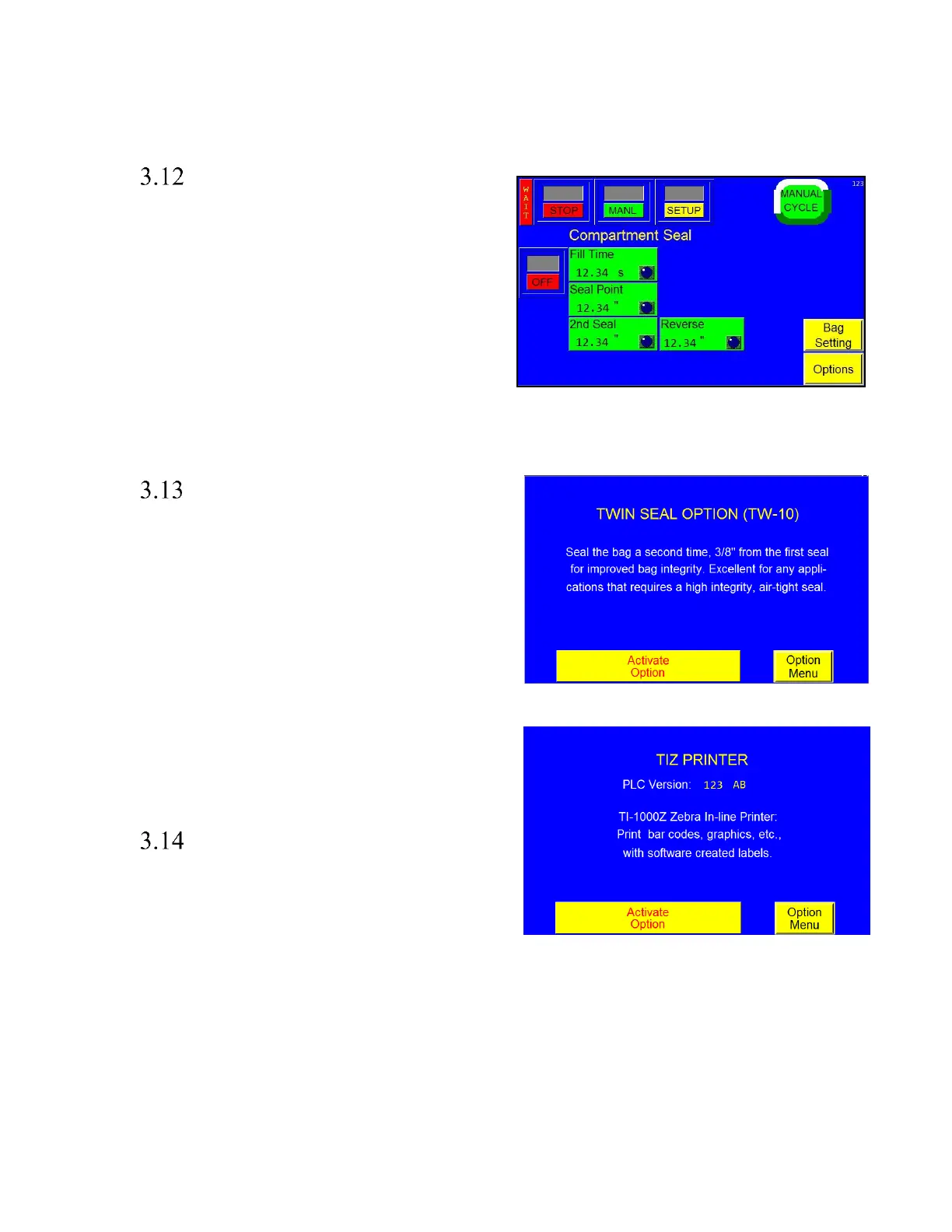
CS-10 Compartment Seal
Seal the bag a second time to create a separate compartment
in the bag. This option is useful to segregate different parts
or protect damage caused from part contact. See Figure 3 -
10.
To start, set the First Seal Point by pressing the <Seal
Point> button and typing in the value on the number
keypad. Adjust the first seal point until the desired location
is achieved. Next, turn the option ON by toggling ON the
<ON> / <OFF> button. Then, adjust the second seal point
by pressing <2
nd
Seal> and entering a value in the number
keypad. Adjust the value of the second seal point until the
desired position is achieved. Larger parts should be loaded first, in the larger, lower compartment.
TS-10 Twin Seal Feature
Special programming is available to seal the bag twice, which
increases the integrity of the bag. The Twin Seal setting can
be adjusted on the Bagger Factory Settings screen. To turn on
the Twin Seal option, press the <Twin Seal> menu option and
press <Activate Option>, see Figure 3 - 11. The second seal
should be very close to the first. If your machine does not
include this feature, contact APPI for purchasing information.
Note: The Seal Point value on the Bagger Settings Screen
may need decreased to allow space for two seals on the same
bag.
Note: Weight of the product, special load shelves or other
options, funneling and bag size will affect the operation of
this option. Contact APPI Sales Support for more
information.
Ti-1000Z Printer
To enable Printer operation on the Zebra Printer, press the
<Activate Option> button, See Figure 3 - 12. If your bagger
includes a printer, refer to the Ti-1000Z / Ti-1000ZRAP / T-
1000-S14NB Printer Manual for further information
regarding the operation of this option.



 To Next Page