33
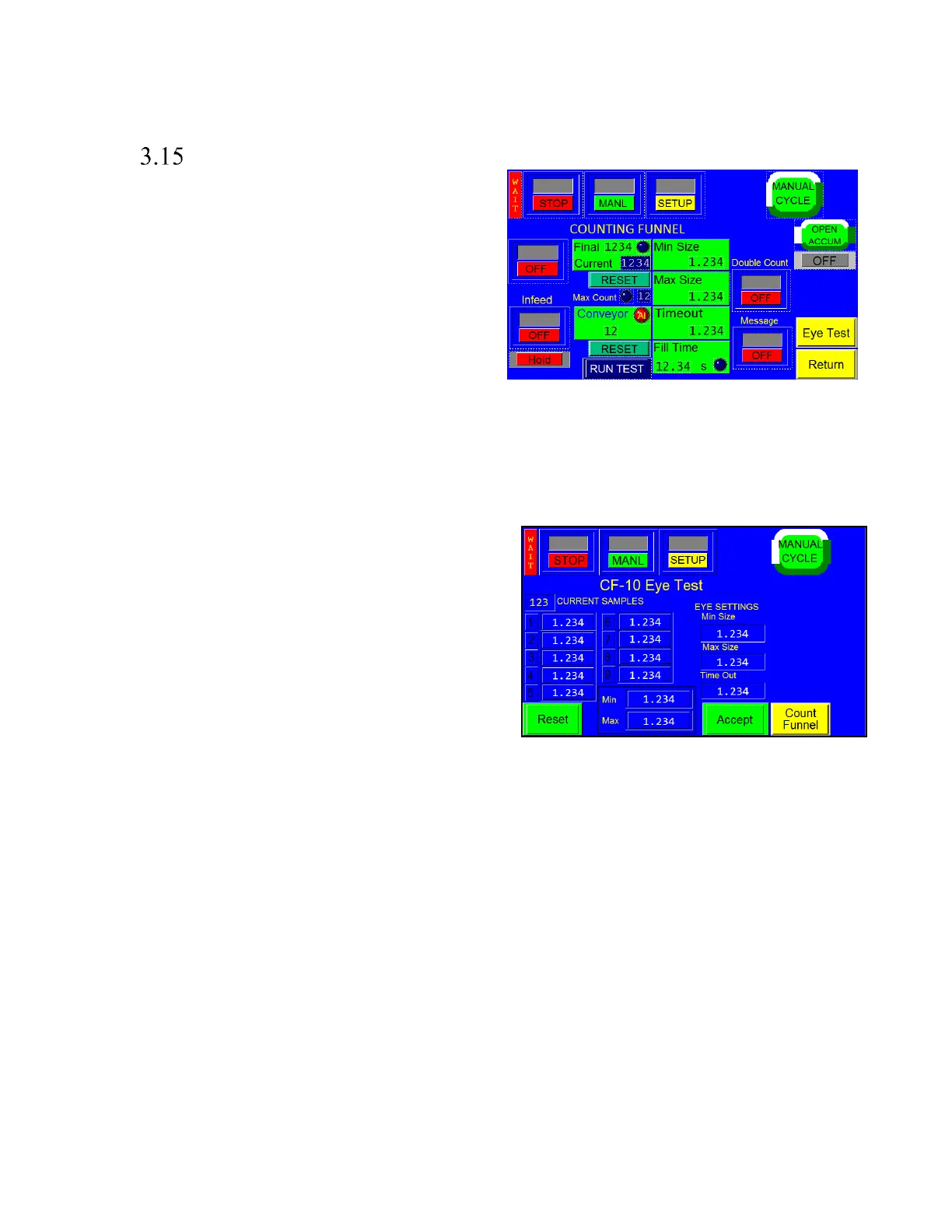
CF-10 Counting Funnel
This option is useful to automatically cycle the bagger
when a preset number of parts have fallen through the
funnel. See Figure 3 - 13. To turn ON the option, press the
toggle button to ON. Press the <Reset> button to reset the
count to the pre-set value.
Parts must have separation to be counted accurately
through the eye. If two parts fall at the same time, they may
be counted as one.
DOUBLE COUNT
Turning the Double Count feature ON will provide a more accurate count if two parts fall through the eye at the
same time. The sensor will add a count if the maximum size is exceeded. Turning the Double Count OFF, the
maximum setting is always zero. Turning OFF the Double Count feature may cause an over count of bagged
product.
EYE TEST
Parts length test: (Eye Test) with the option ON, go to the
Eye Test Screen and press the <Reset> button.
Press the <Stop> top mode button. Then, drop parts
(samples) individually through the photo sensor / funnel.
The Min and Max values will change as you drop parts
through the eye. If parts will be fed automatically, parts
should pass through the eye as they would if feeding
automatically. See Figure 3 - 14.
Min and Max Settings and Time Out setting: These settings
will be set automatically based on the “sample” parts values.
Settings can be fine-tuned by manually entering the settings
on the Setup screen.
Press the <Accept> button after dropping many “sample” parts. If the Min / Max values continue to change,
continue dropping samples until the values do not change. Then press the “Accept” button and return to the
Counting Funnel screen.
Test by dropping one part at a time ensuring that the count increments by a value of one. If not counting correctly,
return to the Eye Test screen, or change the Min / Max settings manually.
If the eye is blocked for an extended period of time (parts jam), the machine will stop and a message will be
displayed.



 To Next Page