55
Figure 3 - 53
Manual Backup: Data is recorded and saved automatically as described above. It can also be done manually
using buttons on Log screens:
• 'Write' - overwrite (save) the same file
• 'Backup' - create new file (save as)
• 'Record' - add a new record
• 'Reset' - clear buffer.
PLC Info
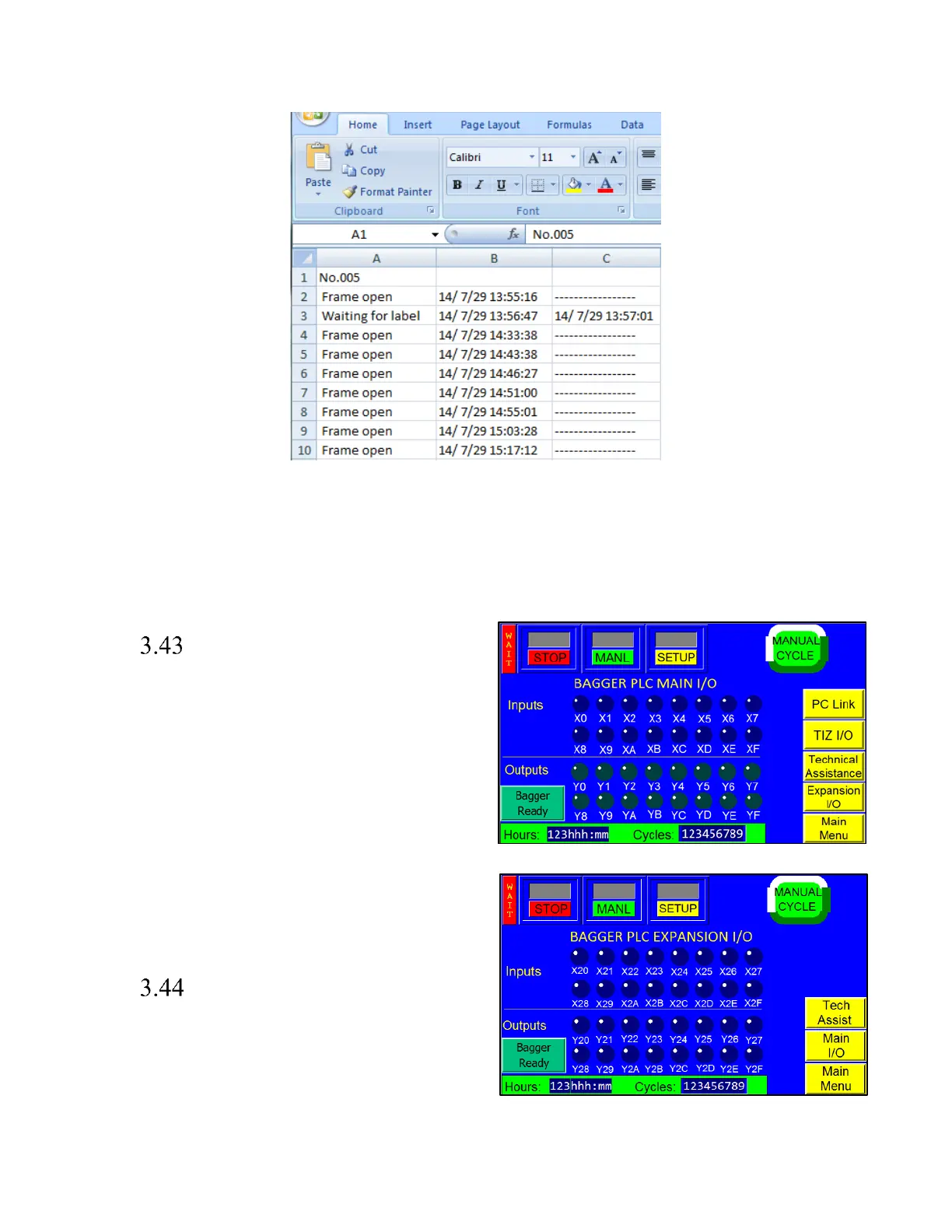
The PLC I/O screens are provided for maintenance
personnel to determine the status of the PLC and to
review the mode of outputs and inputs. PLC I/O screens
are also used to assist APPI service technicians as they
work with maintenance personnel to troubleshoot the T-
1000-S14 in the field. See Figure 3 - 54 and Figure 3 - 55.
To determine the function of each input and output, press
the LED to display a brief description. The PLC I/O
screen also provides the run Hours and Cycles counters.
The Hours counter displays the amount of time the
machine has been on. The Cycles counter displays the
current number of complete cycles. These counters cannot
be reset by the operator.
Options Enable Screen
The Options Enable Screen is used at the factory to
“enable” options for use by the operator. It is accessed by
pressing the <Option PassCode> button on the Technical
Assistance screen. (See Figure 3 - 35). This screen should
only be accessed by qualified technicians or by the
factory.



 To Next Page