56
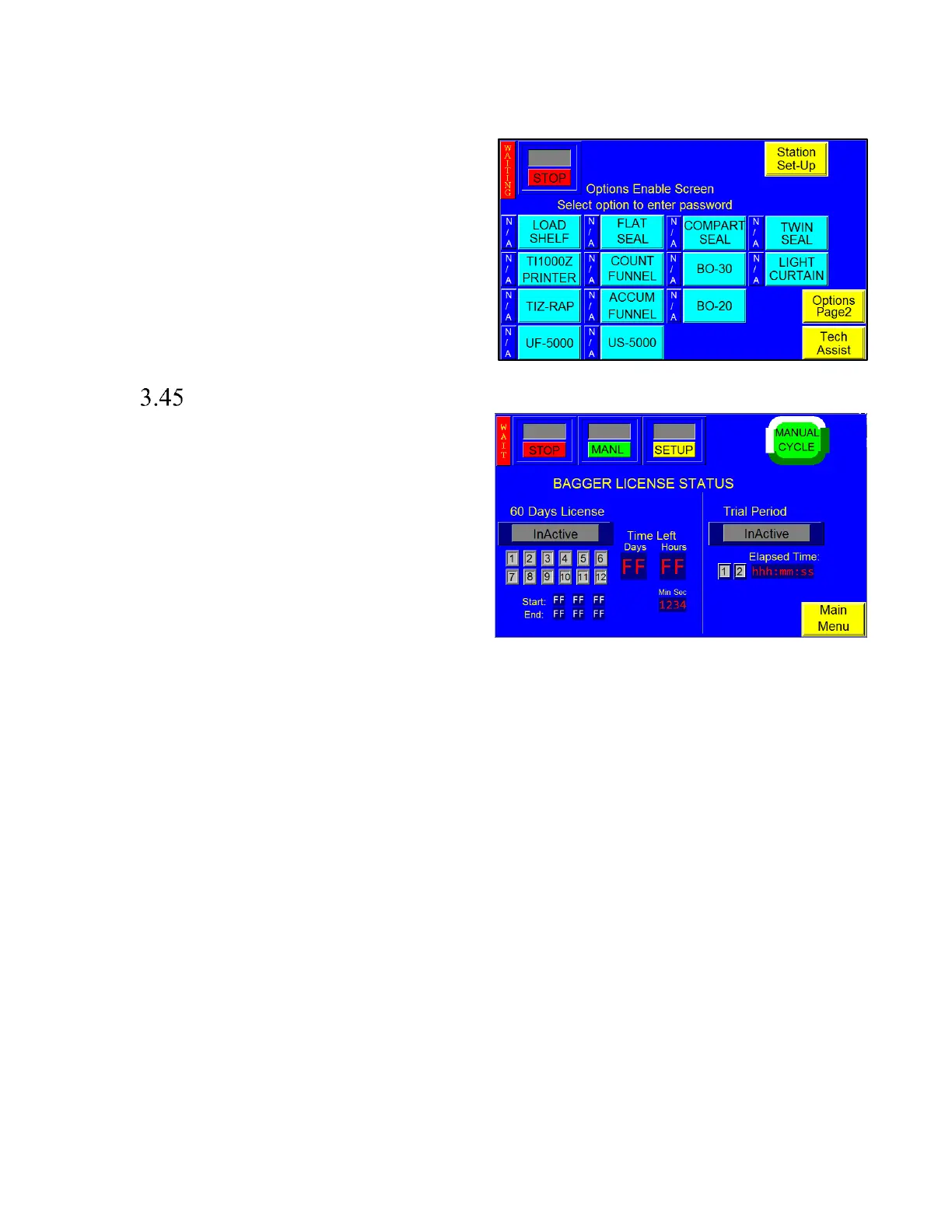
A status box is located to the left of each option to
indicate if the option is available to the operator, see
Figure 3 - 56. If the status box displays ON, the option
has been activated. If the status box displays OFF or N/A,
the option has not been activated. A password is required
to enable inactive options. To obtain the password, the
option must first be purchased from Advanced Poly-
Packaging, Inc. Contact the APPI Service Department for
more information regarding available options for the T-
1000 and for instructions on how to activate options.
License Activation
The License Activation Screen controls access to
Advanced Poly-Packaging’s proprietary software for
controlling the T-1000 Bagger, and must be activated in
order to operate the machine. When shipped from the
factory, a 60-day trial activation is included. After full
payment for the software is received, a full software
license will be granted.
The License activation screen features several LEDs that
indicate the status of the license and trial period and
illuminate and change during various stages of operation.
This screen should only be accessed by a qualified
technician.
As shown in Figure 3 - 57, the License portion of the screen will display “Inactive” in grey if the License has not
been activated yet, ‘In Progress” in green if the trial is in progress, and “Expired” in red if the License has
expired.
Prior to expiration of the trial period, several warning screens may be displayed. These can be seen in Section
3.49, in Figure 3 - 63 and Figure 3 - 64.
When the license is expired, the bagger will stop and all outputs are disabled and the machine is locked in a safe
condition with the temperature shut down until a new activation code is entered.
The Time Left will be displayed in days, hours, minutes and seconds.
• Start: Displays when the license period has begun.
• End: Displays when the License period will end.



 To Next Page