ARK-3381 User Manual 60
Chapter 6 Full Disassembly Procedure
6.1 Introduction
If you want to completely disassemble the Embedded Box Computer, fol-
low the step-by-step procedures below. Users should be aware that
Advantech Co., Ltd. takes no responsibility whatsoever for any problems
or damage caused by the user disassembly of the embedded box com-
puter. Make sure the power cord of the embedded box computer is
unplugged before you start disassembly. The following procedures do not
include the detailed disassembly procedures for the HDD, Compact Flash
Disk and SRAM; all of which can be found in Chapter 3.
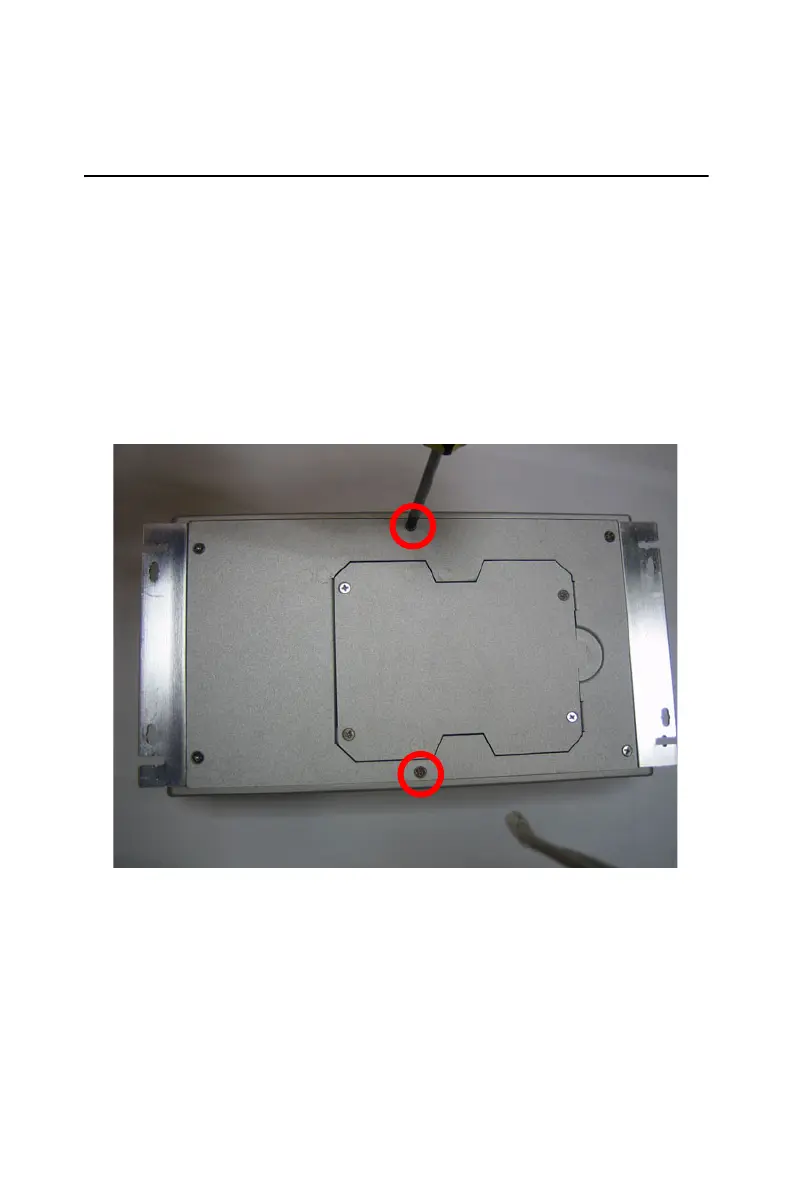
1. Unscrew the 2 screws on the bottom side
Figure 6.1:














 To Next Page