5 WISE-4610(P) User Manual
Chapter 1 Product Introduction
*Note 1
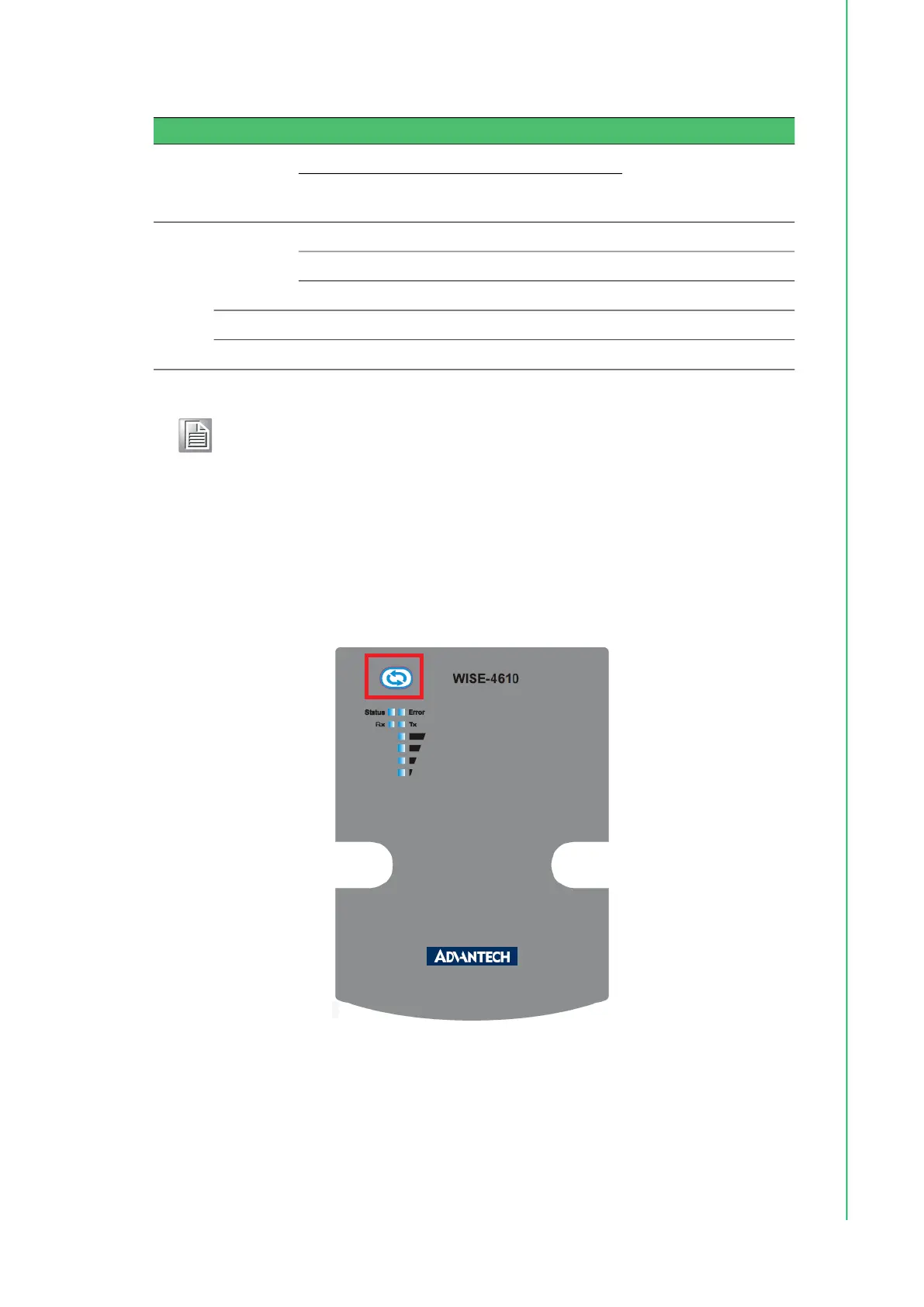
1.7 Membrane Button
Located at the front of the WISE-4610 module is a membrane button that can be
used to switch between operating modes and to light up the LED indicators (refer to
Section 4.2.9 “LoRaWAN Functions” for more information about the membrane but-
ton functions).
Figure 1.4 WISE-4610 Membrane Button
Table 1.3:
Error LED
Signal LEDs
Description
1st
(poor)
2nd
(Okay)
3rd
(Good)
4th
(Full)
Error
Fast Blink
OFF OFF OFF Fast Blink RF related Error
OFF OFF Fast Blink OFF I/O Error
OFF OFF OFF OFF FW error
Slow Blink OFF OFF OFF OFF Battery related Error
OFF OFF OFF OFF OFF No error
Note! If WISE-4610 is powered by the battery, the LED indicators will turn off
after 15 seconds to save power.



 To Next Page