WISE-4610(P) User Manual 32
Configurations
4.2.3 LED Indicator Behaviors
All LED indicators will turn OFF automatically after 15 seconds when the module
is using battery power.
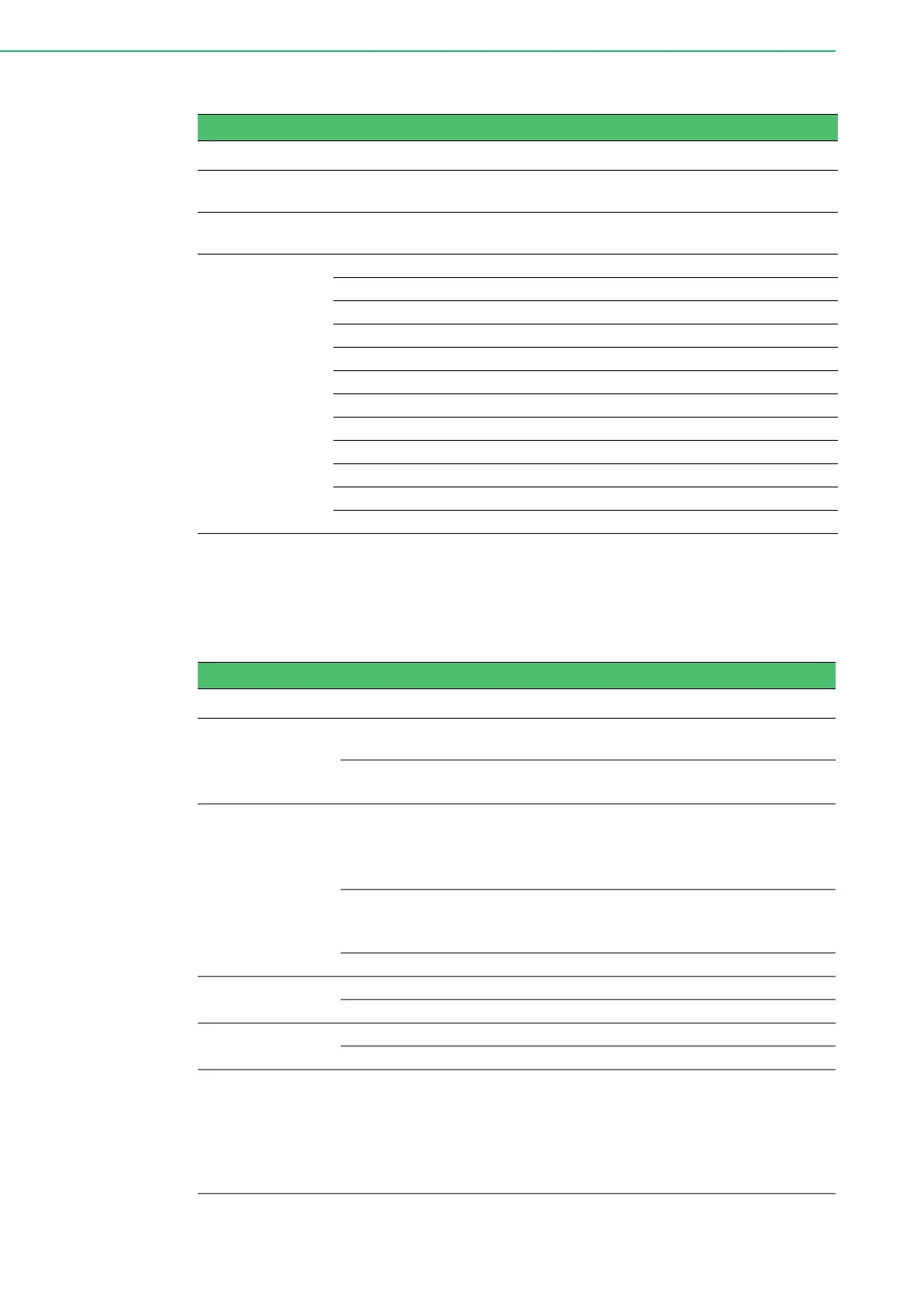
Table 4.5: Configurations
Item Description
Positioning
Enable/Disable
Enable or disable the GNSS module. (Default: Disable)
Position Update
Period
Time between two position fix attempts (15 sec ~ 1 day, unit: second)
(Default: 1 hr)
Select
Permissible
GNSS System
Specify which GNSS signals should be processed
Value GNSS combination
0 (Reserved)
1 GPS + GLONASS (default)
2 GPS + Galileo
3 Galileo + GLONASS
4 GPS + Galileo + GLONASS
5 GPS + BeiDou
6 Galileo + BeiDou
7 GPS + Galileo + BeiDou
8 GLONASS + BeiDou
*If GPS is enabled, SBAS and QZSS will also be enabled by default.
Table 4.6: LED Indicator Behaviors
LED Color State Description
Status Green
Fast blink
(0.2 sec ON, 0.3 sec OFF)
Waiting for connection or connecting
Slow blink
(0.2 sec ON, 1.8 sec OFF)
Connecting and operating normally
Error Red
Fast blink
(0.2 sec ON, 0.8 sec OFF)
Application errors. (*Note 1)
Network registration timeout
I/O Error
FW error
Slow blink
(0.2 sec ON, 2.8 sec OFF)
Low battery voltage (v <= 20%)
Low RTC battery voltage
Battery internal short is detected
Off No error
RF RX Green
On (0.2 sec ON) Received data from Gateway
Off Idle
RF TX Yellow
On Sending data to gateway
Off Idle
Signal
Strength
4 Green
On
(if pressing the membrane
button)
Main battery capacity
All OFF - V <= 20%
1 ON - 20% < V < 40%
2 ON - 40% <= V < 60%
3 ON - 60% <= V < 80%
4 ON - V >= 80%



 To Next Page