43 WISE-4610(P) User Manual
Chapter 4 Software Functions
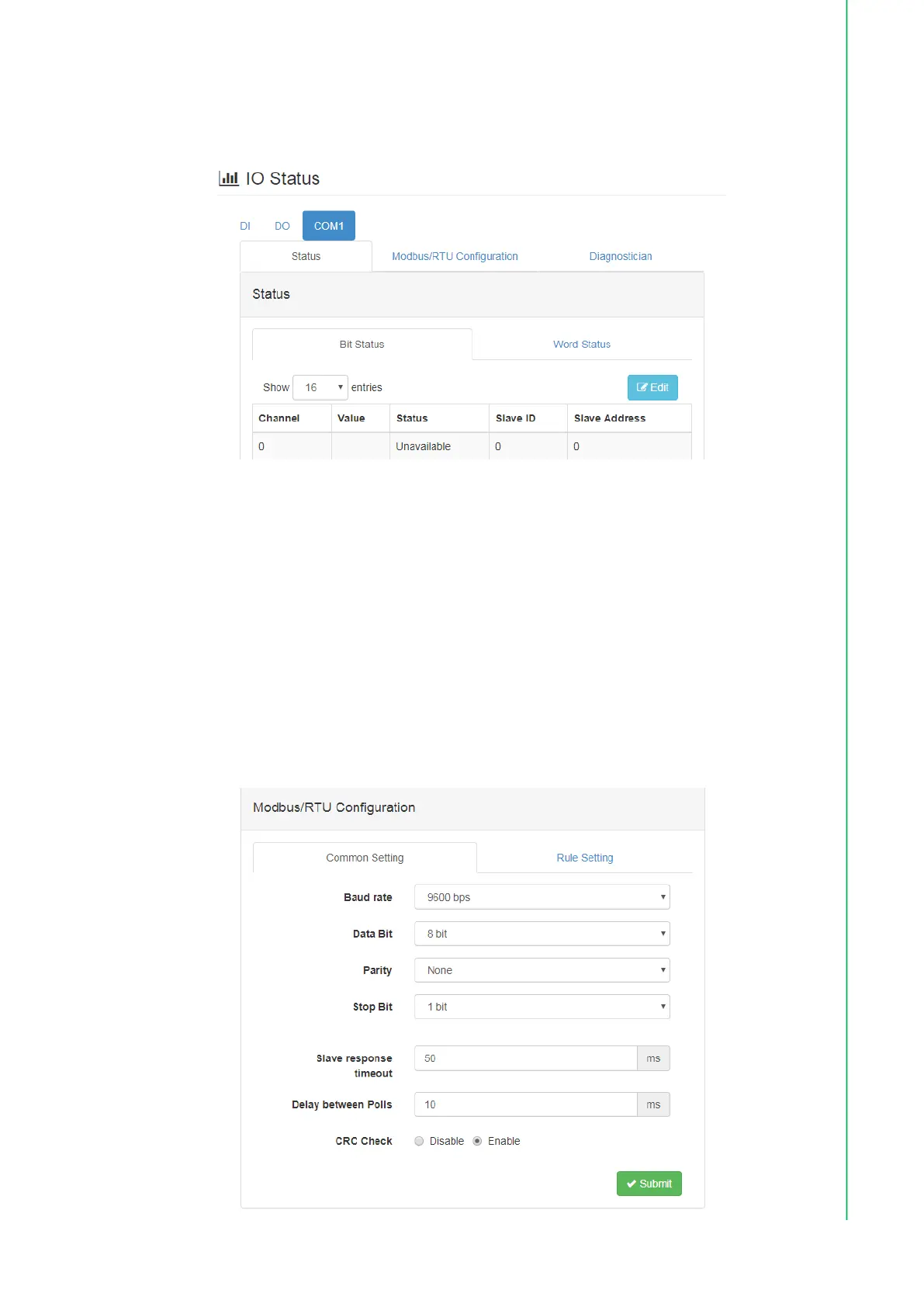
For a writable bit or word, users can click Edit to switch to edit mode to change the
value. Then click Apply to write the Modbus addresses individually.
Modbus Configuration - Common Settings Tab
The options on this tab allow users to configure the RS-485 port parameters.
Baud Rate: 1200, 2400, 4800, 9600, 19200, 38400, 57600, 115200 bps
Data Bit: 7, 8
Stop Bit: 1, 2
Parity: None, Odd, Even
Slave Response Timeout: This item allows users to specify the response time
for Modbus slaves.
Delay Between Polls: This item allows users to set the delay time between
each Modbus instruction.
CRC Check: This item allows users to set the CRC check to ignore Modbus
CRC errors.



 To Next Page