17
aee.com
Basic Operations of Touch Screen
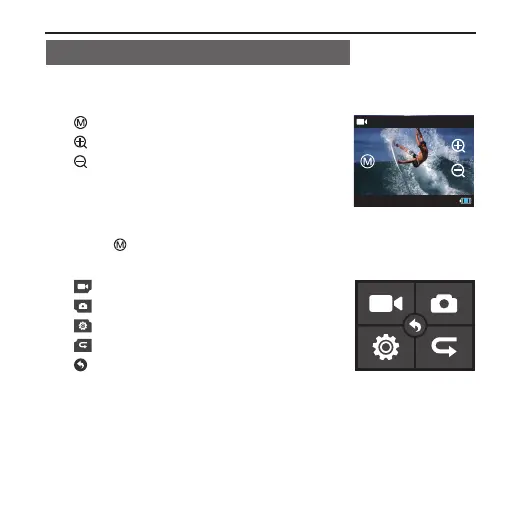
1. Gently touch the screen in preview state; the function of each icon
at this moment is described as follows:
" " To enter the main menu
" " Zoom in
" " Zoom out
2. Press " " to enter the main menu; the function of each icon at
this moment is described as follows:
" " Setting of Video Recording Parameters
" " Setting of Photo Shooting Parameters
" " Setting of Basic Parameters
" " Playback Interface
" " To go back to the preview state



 To Next Page