18
aee.com
Operations without TFT Screen
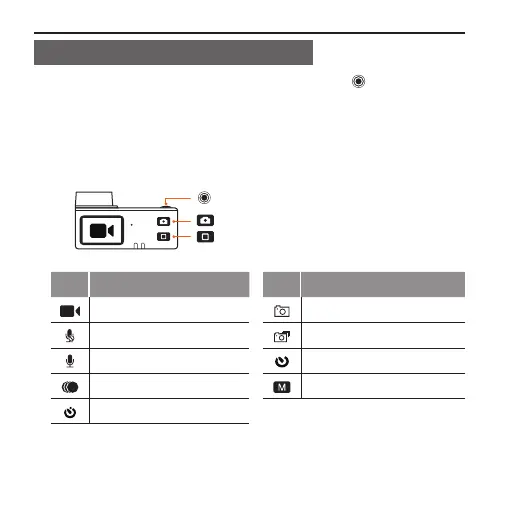
■ When host in power-on state, long press the " " key for about
3s to enter the mode selection state; function icons shown in full
screen can be viewed on the lattice screen; the function of each
key and the information of each icon at this moment are described
as follows:
: Enter the menu item or conrm
: Move to the to exit or previous option
: Move to the next option
Icon Functions Icon Functions
Video recording Single shot
Video-only Fast shot
Voice recording Timed shooting
Time Lapse Menu settings
Auto video



 To Next Page