- 30 -
TSE-N 01.03 A.B. 599 50 75 69 EN
1
2
3
4
5
6
7
Demo-Program
Activate the demo - program
A demo program can be started only if both the user interface and the main electronics
are equipped with updated software.
user interface Software UAA00201
main electronic Software W2C01352
1. Access to demo program
- Switch off the appliance.
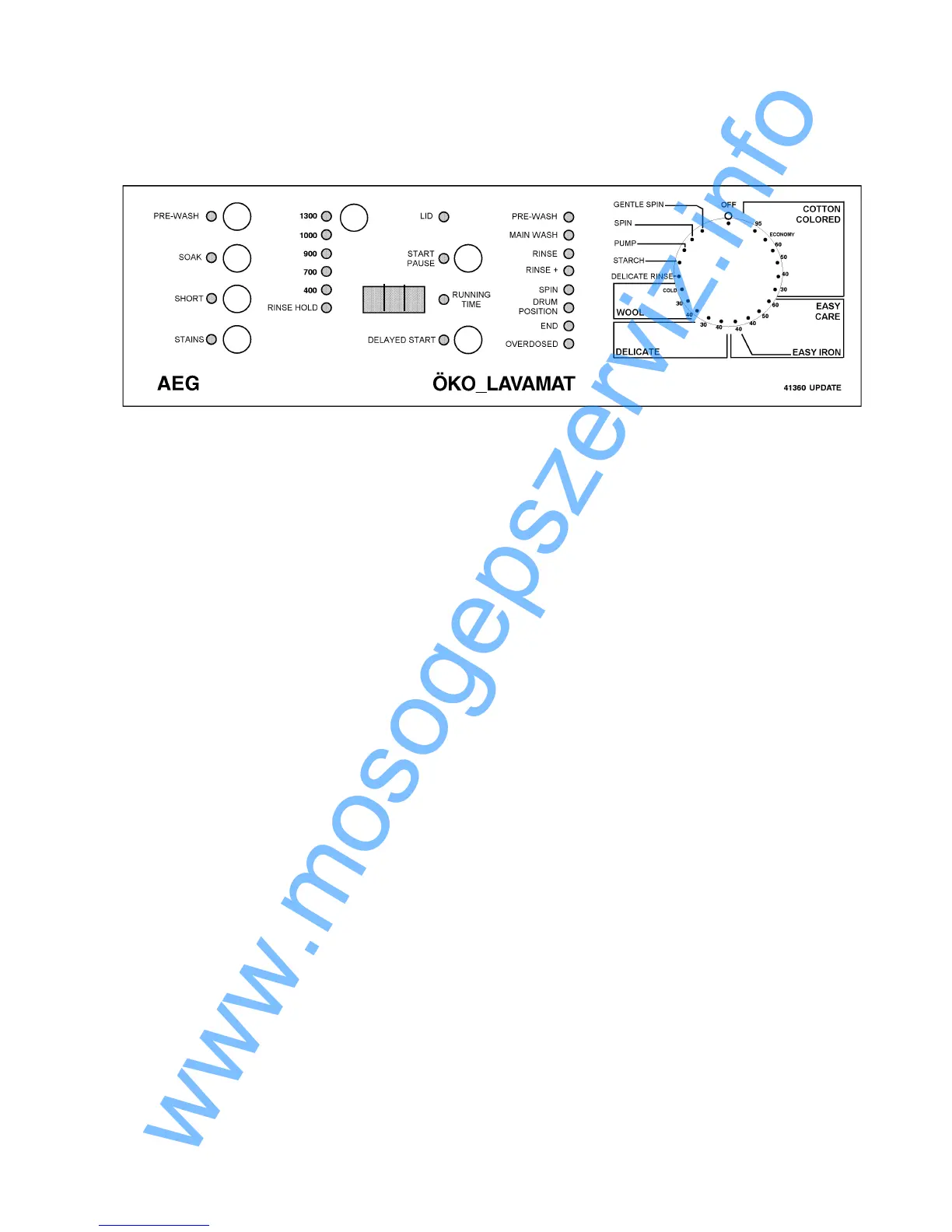
- Hold buttons 1 and 2 pressed simultaneously and turn the program selector by one
position to the left.
- Keep both selected keys pressed for about 2 seconds.
- You can select the individual programs and the associated option keys by using the
program selector switch.
The key start/pause is disabled.
- The demo program will remain in the memory even if the appliance is switched Off.
2. Adandoning the demo program
- Switch off the appliance.
- Hold buttons 1 and 2 pressed simultaneously and turn the program selector by one
position to the left.
- Keep both selected keys pressed for about 2 seconds.
- Switch Off the appliance to deactivate the demo program.



 To Next Page