Before using for the first time10
Before using for the first time
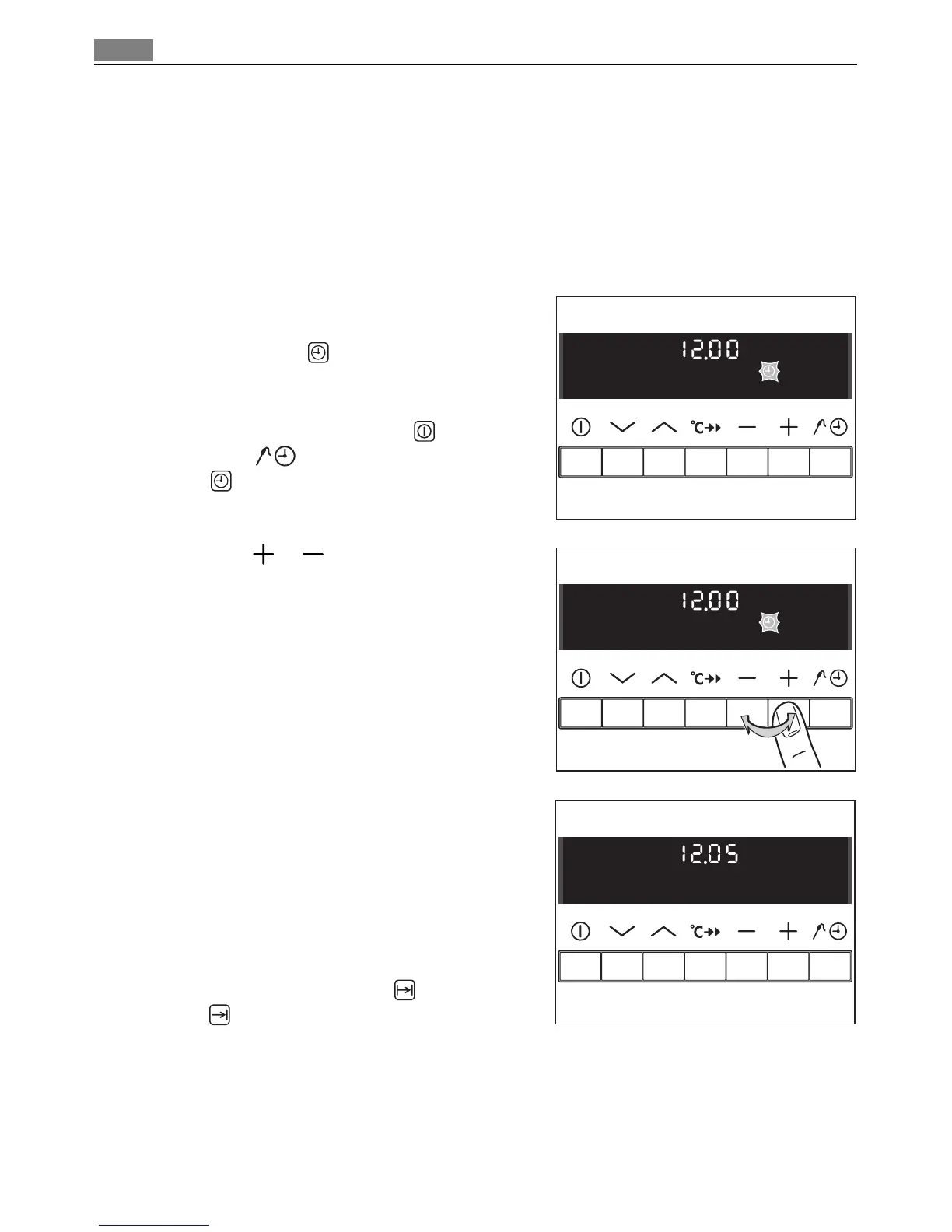
Setting and changing the current time
3 The oven only operates when the time has been set.
When the appliance is connected to the
electrical supply or when there has been a
power cut, Time flashes automatically.
1. To change a time that has already been set,
first press the On/Off button . Then press
the Select button repeatedly until
Time flashes.
2. Using the or button, set the current
time.
After approx. 5 seconds, the clock stops
flashing and the clock displays the time of
day set.
The appliance is now ready to use.
3 The time can only be modified, if the child
safety device is deactivated, neither of the
clock functions Cook time or End
time nor any oven functions are set.












 To Next Page