Operating the Oven14
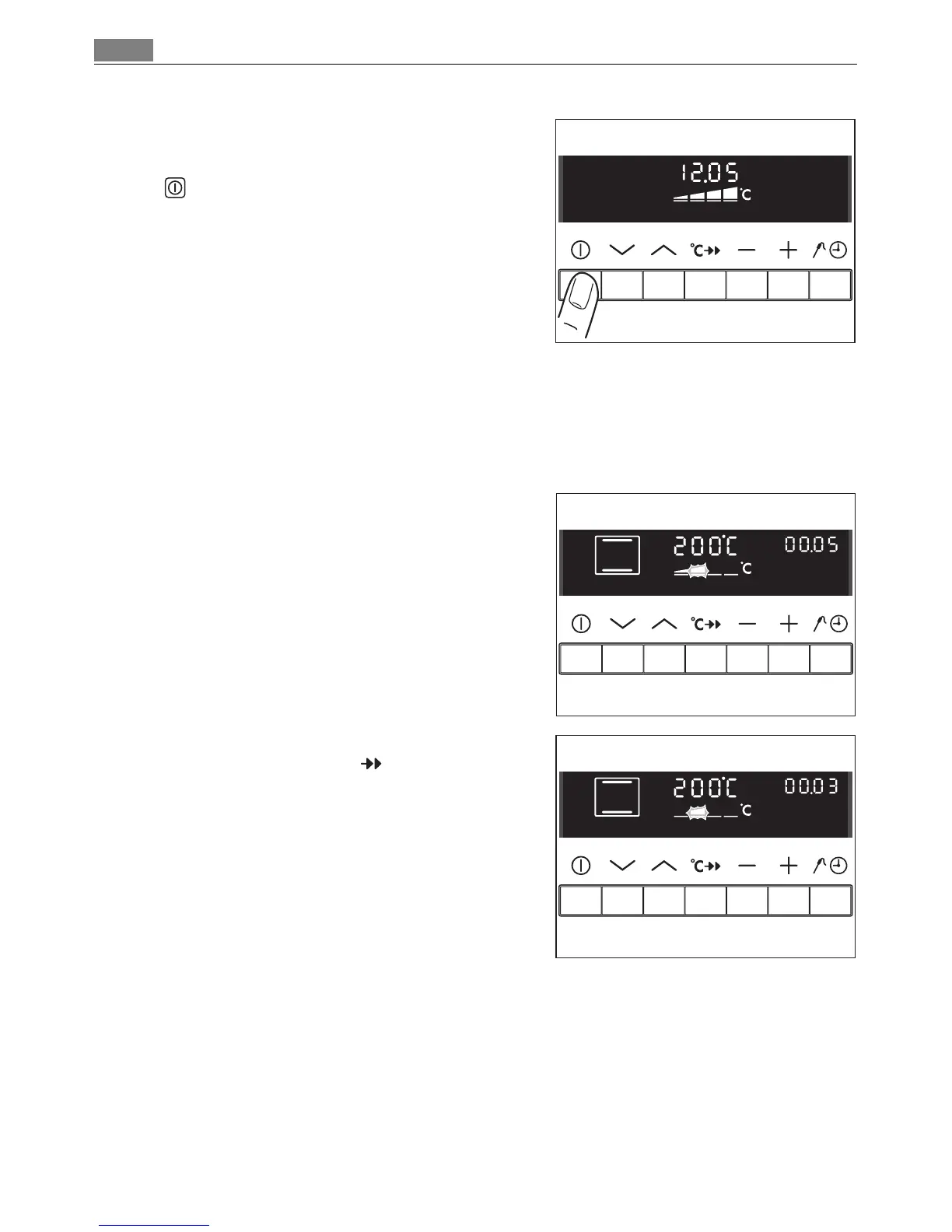
Switching off the oven
Switch off the appliance using the On/Off
button.
3 Cooling fan
The fan switches on automatically in order to keep the appliance’s surfaces cool.
When the oven is switched off, the fan continues to run to cool the appliance
down, then switches itself off automatically.
3 Heat indicator
Indicates warming up
When the oven function has been
switched on the bars that slowly light up
one after the other indicate how far the
oven has heated up.
Speedcook indicator
When the Speedcook function has
been switched on, the bars that flash one
after the other indicate that fast heating is
working.












 To Next Page