29Operating the Oven
Child safety device
As soon as the child safety device is set, the appliance can no longer be switched
on.
Activating the child safety device
1. If necessary, switch on the appliance using
the On/Off button.
No oven function must be selected.
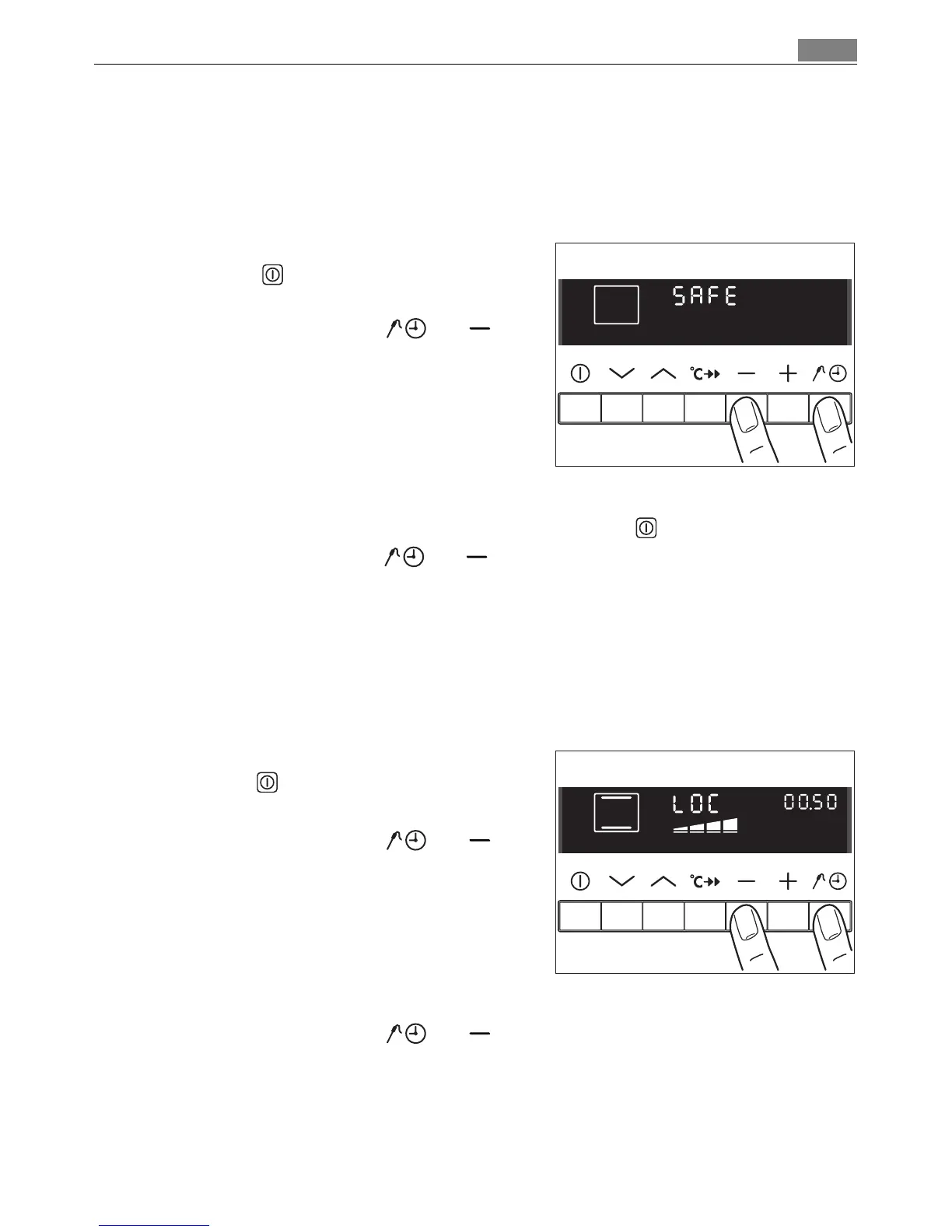
2. Press and hold the Select and but
tons at the same time, until “SAFE” appears
in the display.
The child safety device is now set.
Cancelling the child safety device
1. If necessary, switch on the appliance using the On/Off button.
2. Press and hold the Select and buttons at the same time, until “SAFE” dis
appears from the display.
The child safety device is now cancelled and the appliance is again ready for use.
Button lock
To ensure that oven functions set are not accidentally altered.
Activating the button lock
1. If necessary, switch on the appliance using
theOn/Off .
2. Select the oven function.
3. Press and hold the Select and but
tons at the same time, until “LOC” appears
in the display.
The button lock is now engaged.
Cancelling the button lock
Press and hold the Select and buttons at the same time, until “LOC” dis
appears from the display.
The button lock is automatically lifted when the oven function is switched off.












 To Next Page