13Operating the Oven
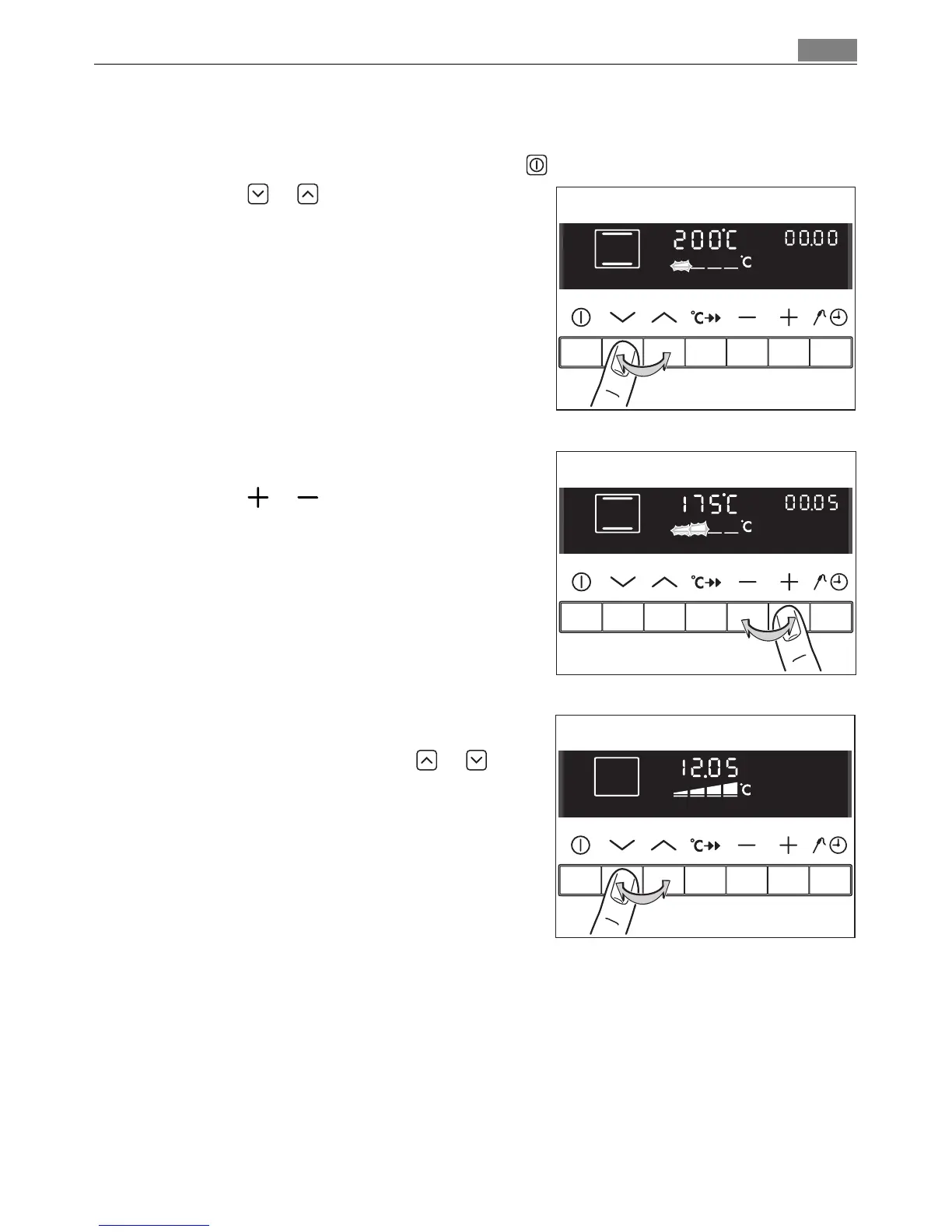
Selecting the oven function
1. Switch on the appliance with the On/Off button.
2. Press the or button repeatedly until
the desired oven function appears.
• A suggested temperature appears on the
temperature display.
• If the suggested temperature is not
changed within approx. 5 seconds, the
oven begins to heat up.
3 The oven function can be changed while
the oven is working.
Changing the oven temperature
Press the or button, to raise or lower
the temperature.
The setting changes in steps of 5 °C.
Switching off the oven function
To switch off the oven, press or but
ton repeatedly until no oven function is
displayed any more.












 To Next Page