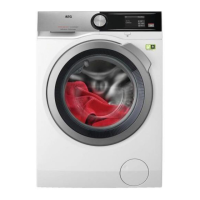
7. DIAL AND BUTTONS
7.1 Ein/Aus
Pressing this button for a few seconds allows to activate or
deactivate the appliance. Two different tunes sound while switching
the appliance on or off.
As the Stand-by function automatically deactivates the appliance to
decrease the energy consumption in a few cases, you may need to
activate the appliance again.
For more details, refer to Stand-by paragraph in Daily Use chapter.
7.2 Programme dial
By rotating the programme dial it is possible to select the desired
programme.
7.3 Introduction
The options/functions are not selectable with all washing
programmes. Check the compatibility between options/functions
and washing programmes in the "Programme Chart". An option/
function can exclude another one, in this case the appliance
doesn't allow you to set the incompatible options/functions
together.
Make sure the screen and touch buttons are always clean and
dry.
7.4 Fertig In
Set this option as last after programme and other options
selection, otherwise it can be cancelled if you change some
setting.
This option allows choosing the time within which a programme
should terminate. The programme end can be postponed by one 1
hour every button touch until 24 hours maximum.
31/96


 To Next Page