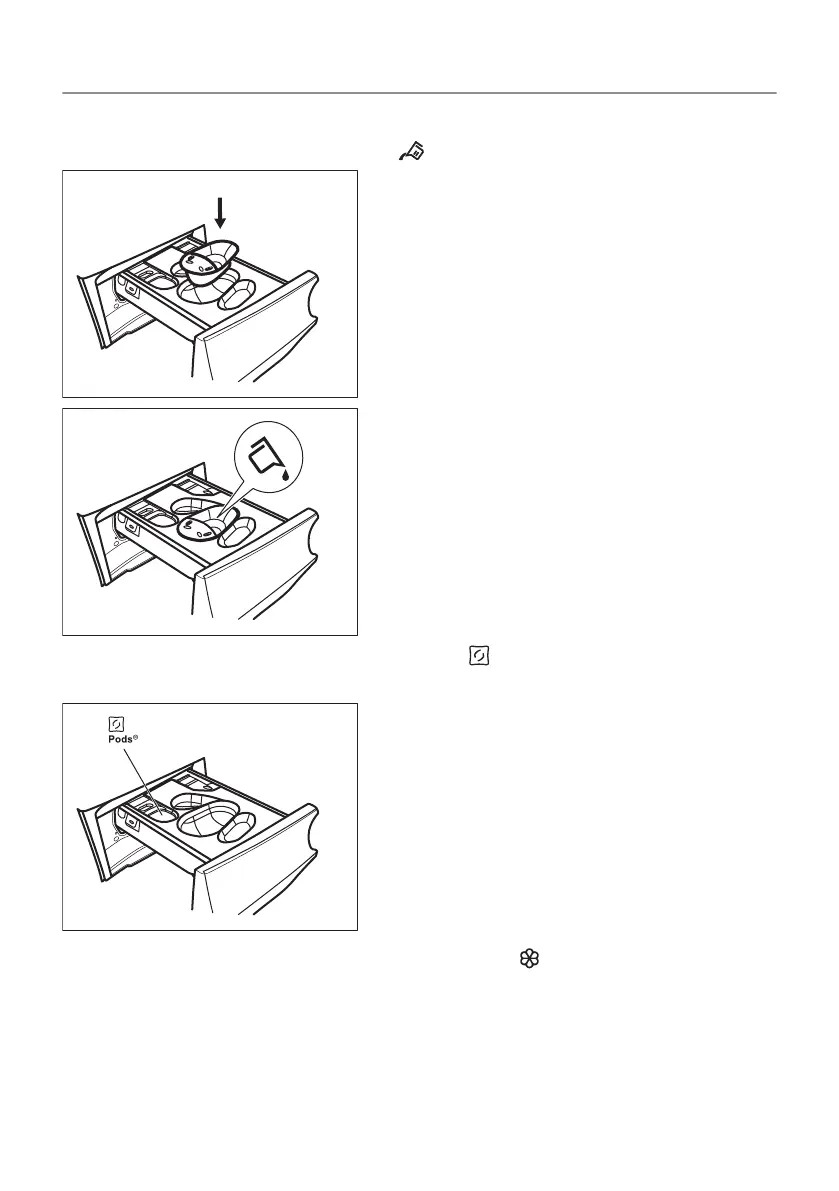
b) Pour the liquid detergent in the same compartment after
inserting the relevant container .
c) Put the tablets in the compartment . Make sure that the Pods
option is activated.
4. Pour fabric softener in the compartment .
5. Close the detergent dispenser.
11.4 Setting a programme
1. Turn the programme dial to select the desired washing
programme. The related programme indicator comes on.
55/96
DAILY USE


 To Next Page