
 Need help?
Do you have a question about the AERMEC AER Connect and is the answer not in the manual?
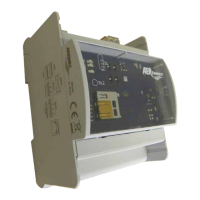
Overview of the AerConnect board's physical layout, ports, and indicators.
Details on establishing a point-to-point connection between AerConnect and VMF-E6 panels using RS485.
Describes connecting AerConnect with VMF-E6 panels via a single Ethernet-RS485 adapter.
Details the setup for connecting AerConnect with multiple VMF-E6 panels using Ethernet-RS485 adapters.
Explains the serial communication port on VMF-E6 panels for third-party supervisors or BMS.
Illustrates the connection between Ethernet-RS485 accessories and VMF-E6 panels when not directly connected to AerConnect.
Details the direct connection between VMF-E6 systems and the AerConnect accessory.
Steps to configure the MGate module for AerConnect, covering LAN and P2P connections.
Steps to configure the AerConnect webserver using the AerConnect.exe software.
Procedure for accessing the AerConnect web interface using default credentials.
Steps to change the administrator password after initial login.
Navigating the menu to view and adjust settings for fan coils and MZC plenum zones.
Viewing and managing settings for heat pump or chiller outdoor units.
Accessing and modifying settings related to domestic hot water production.
Viewing active alarms, resolved alarms, and unread messages in the system.
Accessing system settings, profiles, and user management options.
Viewing and editing information for each VMF-E6 system connected.
Accessing user access based on ADMIN and USER profiles.
How the user interface adapts to different screen resolutions and device types (PC/tablet).

 To Next Page
 General