22
4 USER INTERFACE
After conguring the AerConnect webserver, the VMF-E6 system can be monitored from a PC or tablet by accessing it via a browser.
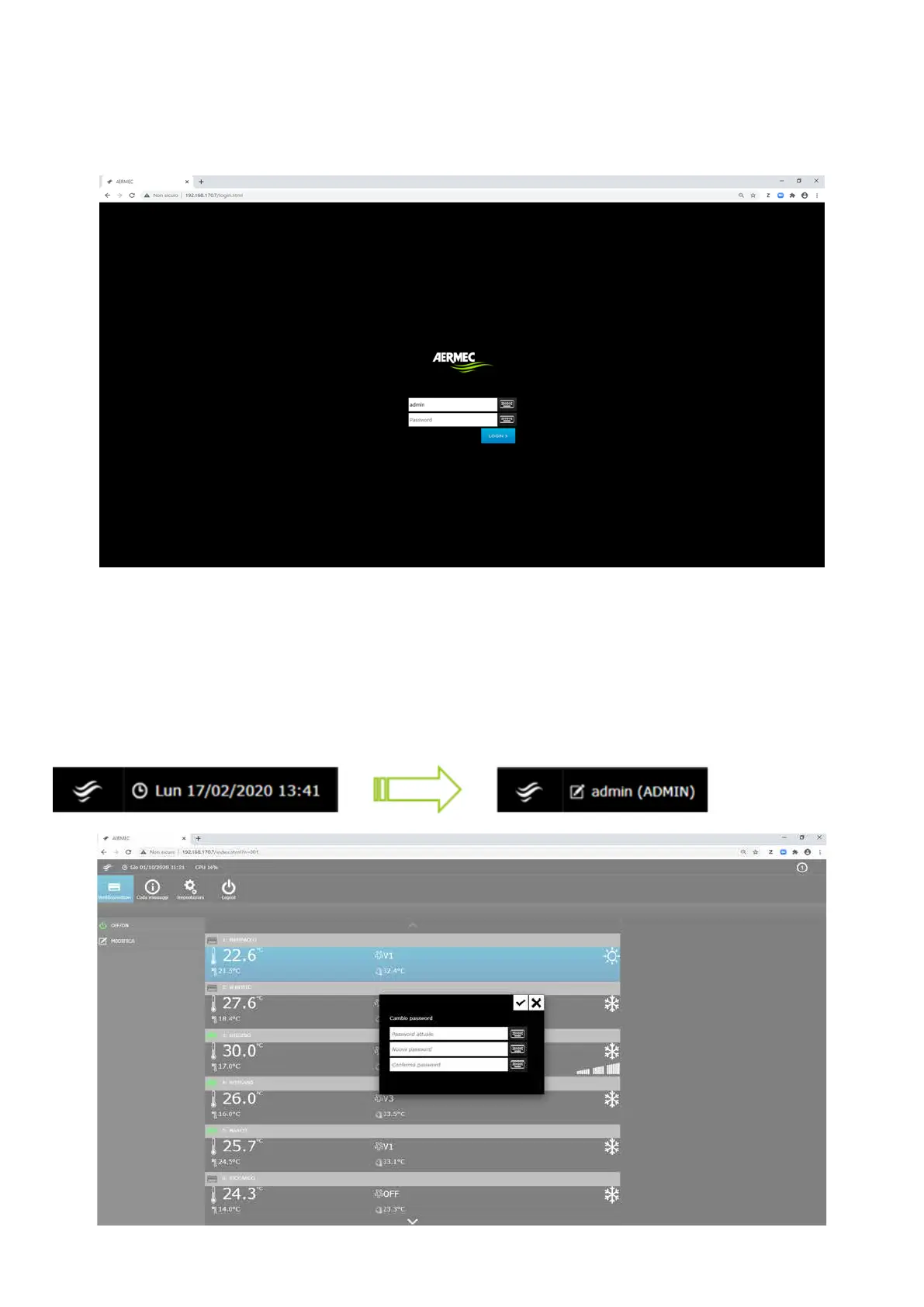
As previously mentioned, connect to a specic AerConnect by simply entering the IP address associated with it; example http://192.168.170.7/login.html.
4.1 LOGIN
ATTENTION: At the rst access, the following credentials must be entered:
user: admin
password: admin
At the rst access you will be asked to change the administrator password.
4.2 CHANGING THE PASSWORD
It is always possible to force the password change function by clicking on the Aermec icon at the top left – the display changes from date/time to login information.
Click on the latter to change the password.


 To Next Page