4
1 DESCRIPTION
The Aerconnect accessory is a webserver that allows up to 6 dierent VMF-E6 panels (and related systems connected to them) to be monitored; the systems can be managed
through the application available via a web browser installed on any hardware (PC, tablet, etc.), connected to the same network as the Aerconnect accessory.
Note: an external DNS server must be congured to connect to the application from a dierent network from that which the Aerconnect accessory is
physically connected to.
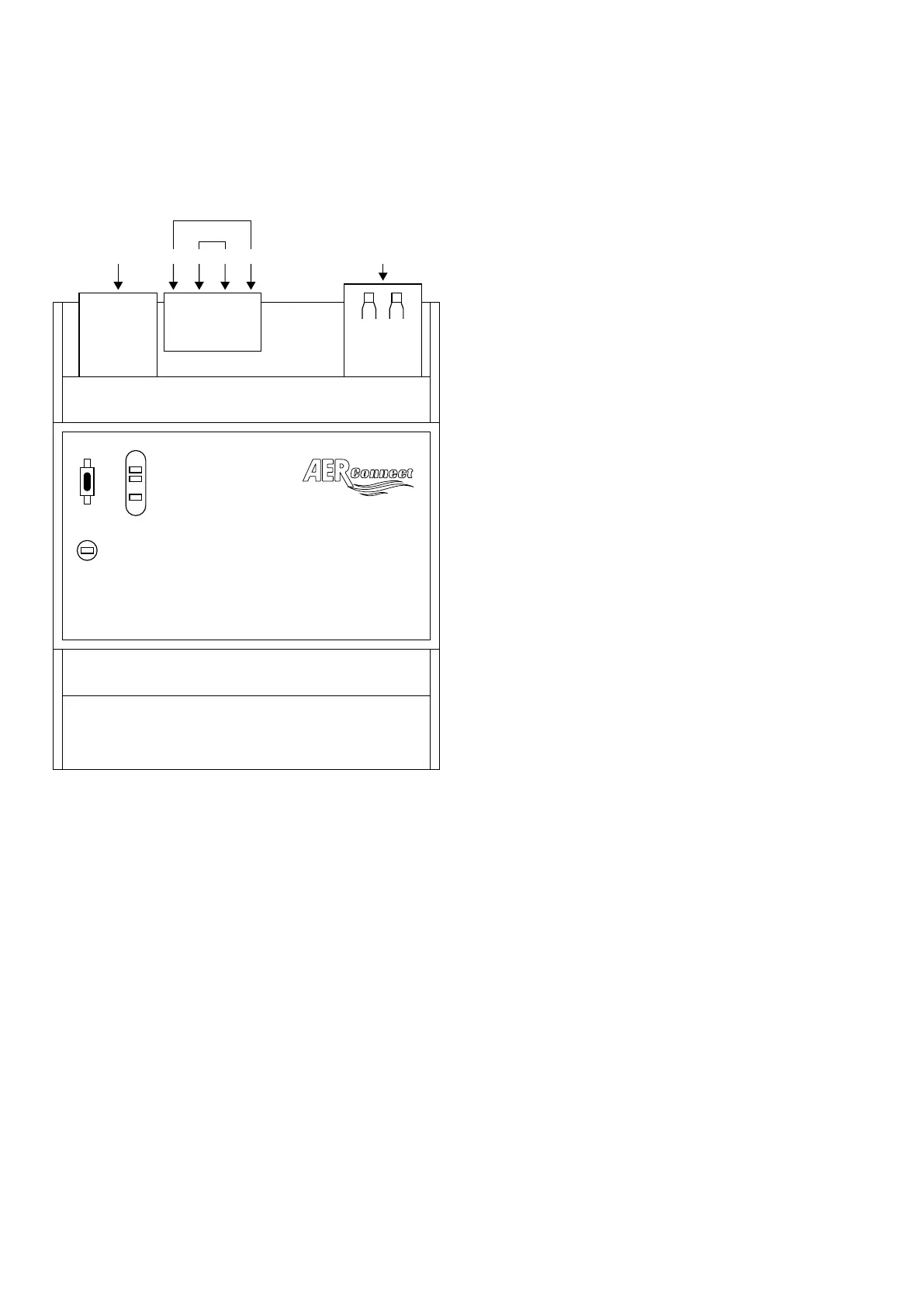
1.1 LAYOUT OF THE AERCONNECT BOARD
SL
SL2
PI
USB
ETHERNET (+) A B (-)
BUS 1
Ports available:
— ETHERNET: port to connect the accessory to the Ethernet switch;
— DC POWER: connector 1 (+) and 4 (-) are used to power the accessory (12V) via the power supply unit provided;
— BUS1: connector 2 (A) and 3 (B) are used to connect the RS485 serial (BMS) if the point-point type of connection is used between Aerconnect and VMF-E6 panels;
— USB: port used to update the device;
Input and indication:
— PI: key to reset the device;
— SL-SL2: signalling LEDs;


 To Next Page