21
The AerConnect device must be connected, the USB key inserted into the device and the webserver then started. During the procedure, the signal of LED A03 will be indicated.
The blue LED remains on once the rmware is updated.
The device must be disconnected from the power to remove the USB key.
Update the rmware through the AerConnect.exe software – press the “Firmware Update” button, then select the *.tar.bz2 le.
The le will be sent via FTP to the device (check that there are no rewall or antivirus restrictions that can block the transfer). The device will be restarted automatically, after
which you must wait for the update procedure to be executed (the latter consists of two parts indicated by the LED A03 combination).
Once completed, the device will be queried and the rmware version indicated in the relevant eld of the grid.
LED signals.
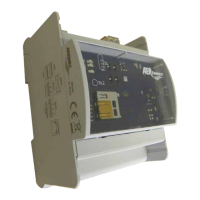
During normal AerConnect operation, the LEDs remain o, except for error signals. The LED signals can be reactivated by pressing the button on the device.
Description of the ashes State Alarm code
During normal operation the BLUE SL LED ashes for 1/4s every 10s.
The SL LED goes o after 5 minutes without anomalies. LED signals are reactivated with the presence of
anomalies or by pressing the PI button.
NORMAL FUNCTIONING A00
During the initialisation, the SL LED ashes 1/4s BLUE twice. SERVERMODBUS START-UP A00
If the SL LED remains on steady RED, this indicates no communication with the VMF devices. NO COMMUNICATION – RET NOT OK A01
Starting the procedure from the software, the SL signalling LED ashes BLUE for 1s, pauses 1s and is followed
by fast GREEN ashes for 1/4s.
Pressing the button ends the procedure with a 1s BLUE signal.
ADDRESSING FROM PC A02
During the programming update procedure it ashes BLUE for 1/2s and GREEN for 1/2s. SOFTWARE UPDATE A03
RED LED 2s alternated with BLUE LED 2s to indicate that the application has not started. SWITCH-ON – BOOT STAGE A04
During the data memory update procedure, the SL LED ashes BLUE for 1/2s and RED for 1/2s. DATA MEMORY UPDATE A05
A RED ash of 1s indicates incorrect programming. INCORRECT PROGRAMMING B00
The RED ashes 1/2s every 5s to indicate the http server is blocked during normal operation
PROBLEMS RELATED TO THE HTTP SERVER
START-UP
B01
A RED ash of 1s alternated with 2 BLUE ashes of 1/2s+1/2s pause indicates that the module recognises
communication on the network but is not receiving data from one of the VMF modules.
NO VMF QUERY B02
The procedure starts with the BLUE LED ashing for 2s (button check).
During the procedure, the BLUE LED ashes 3 times for 1/4s followed by the GREEN LED ashing for 1/2s. Once
completed, the BLUE LED goes on steady for at least 2s until the reboot, as conrmation of the operation.
DEFAULT SETTINGS B05
The stage requires the BLUE LED to remain on steady until restart. RESTART STAGE B06
YELLOW LED o. SERIAL NORMAL OPERATION C00
The YELLOW LED ashes 1s alternated with a 1s pause.
SD PERIPHERAL COMMUNICATION PROB-
LEMS
C01
YELLOW LED on steady
SERIAL PERIPHERAL COMMUNICATION
PROBLEMS
C02
During normal operation the YELLOW LED ashes for 1/4s every 10s.
The LED goes o after 5 minutes without anomalies. LED signals are reactivated with the presence of anom-
alies or by pressing the PI button.
OFFLINE DATABASE C03
A separate code relating to the SD check is the YELLOW LED and the ashing of the GREEN LED starting
simultaneously.
The signals could last some time, depending on the type of control in progress.
Check SD ---


 To Next Page