27
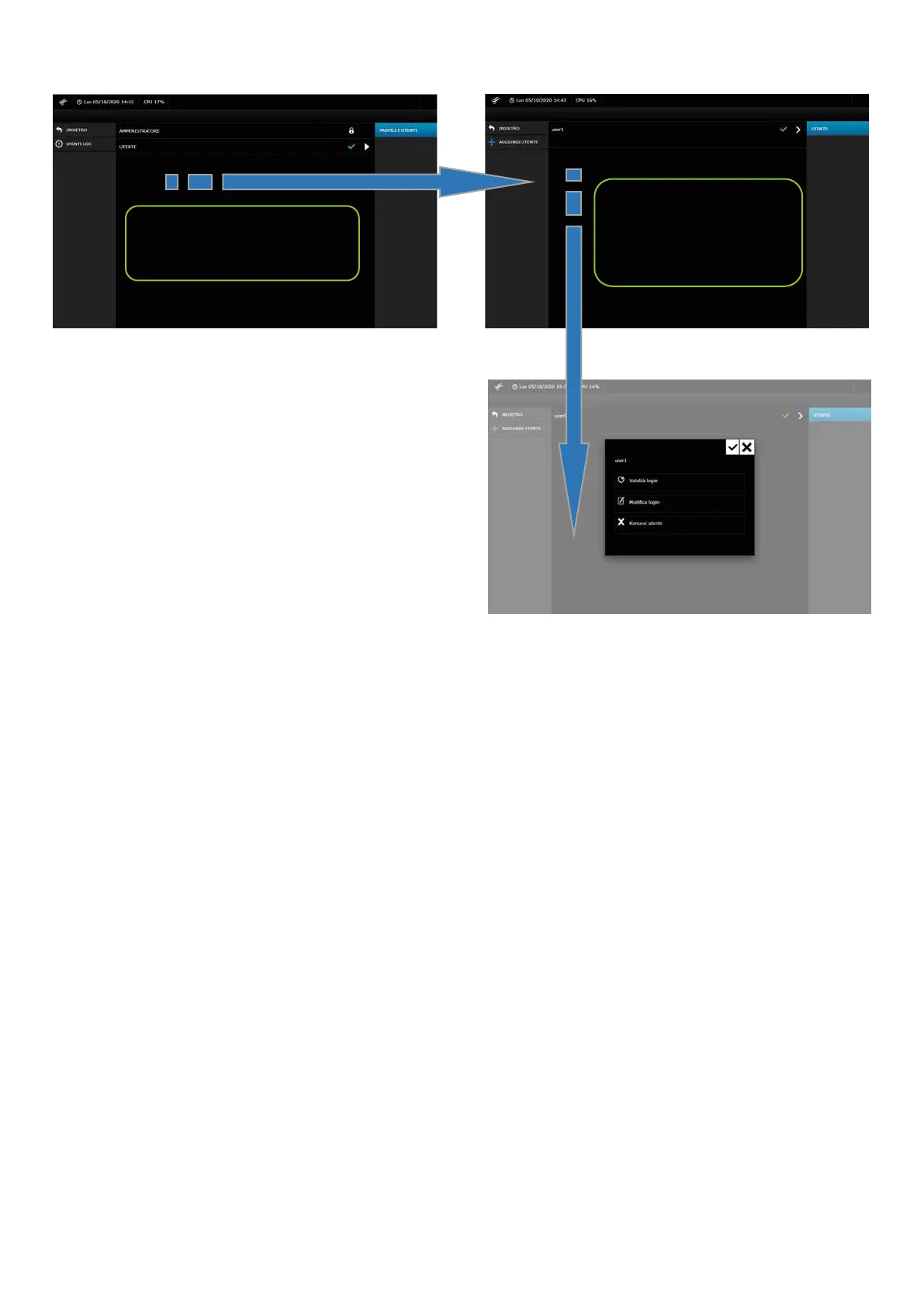
3. Decide the access validity of the users:
Press on the USER string
Press the ">" icon
4.10 DESKTOP/TABLET DISPLAY
The user interface displayed in the browser automatically adapts to the type of resolution and type of device (PC or tablet).
If you are using a tablet, some sections of the menus will be accessible in dierent ways through the drop-down menu; vertical and horizontal display view is possible.
On a PC only horizontal display is possible.


 To Next Page