14
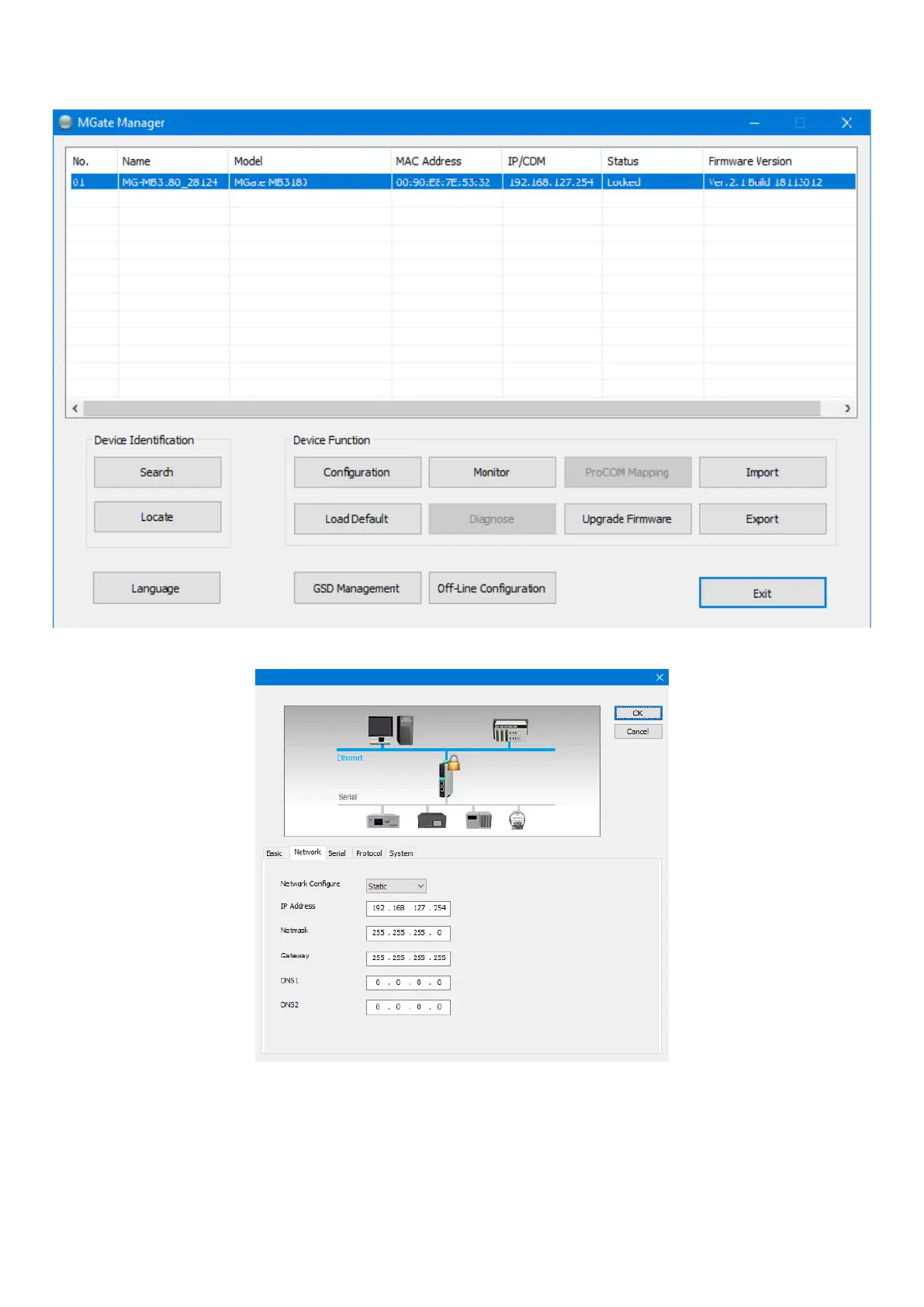
5. Select the device of which you wish to set the conguration (communication mode , modbus addresses of the connected slave, IP address of the converter, etc.) required
for correct operation; to do this, select the intended converter (by clicking the relative line with the mouse) and then press the “Conguration” key.
6. Provide the following settings to control communication with the converter and with the VMF-E6 device:
Note: for the parameters on this screen, contact the system administrator or check the settings of the network router.


 To Next Page