10
4.6 UP & DOWN SWING SETTING
There are two ways for up and down swing mode: simple swing and xed swing. Under o status, press “SWING/ENTER” button and “ ” button simultaneously for 5 seconds,
then switch for simple swing and xed swing is done.
When it is set to be simple swing, under on status, press “SWING/ENTER” button, the mode is activated, press the button again the mode is turned o.
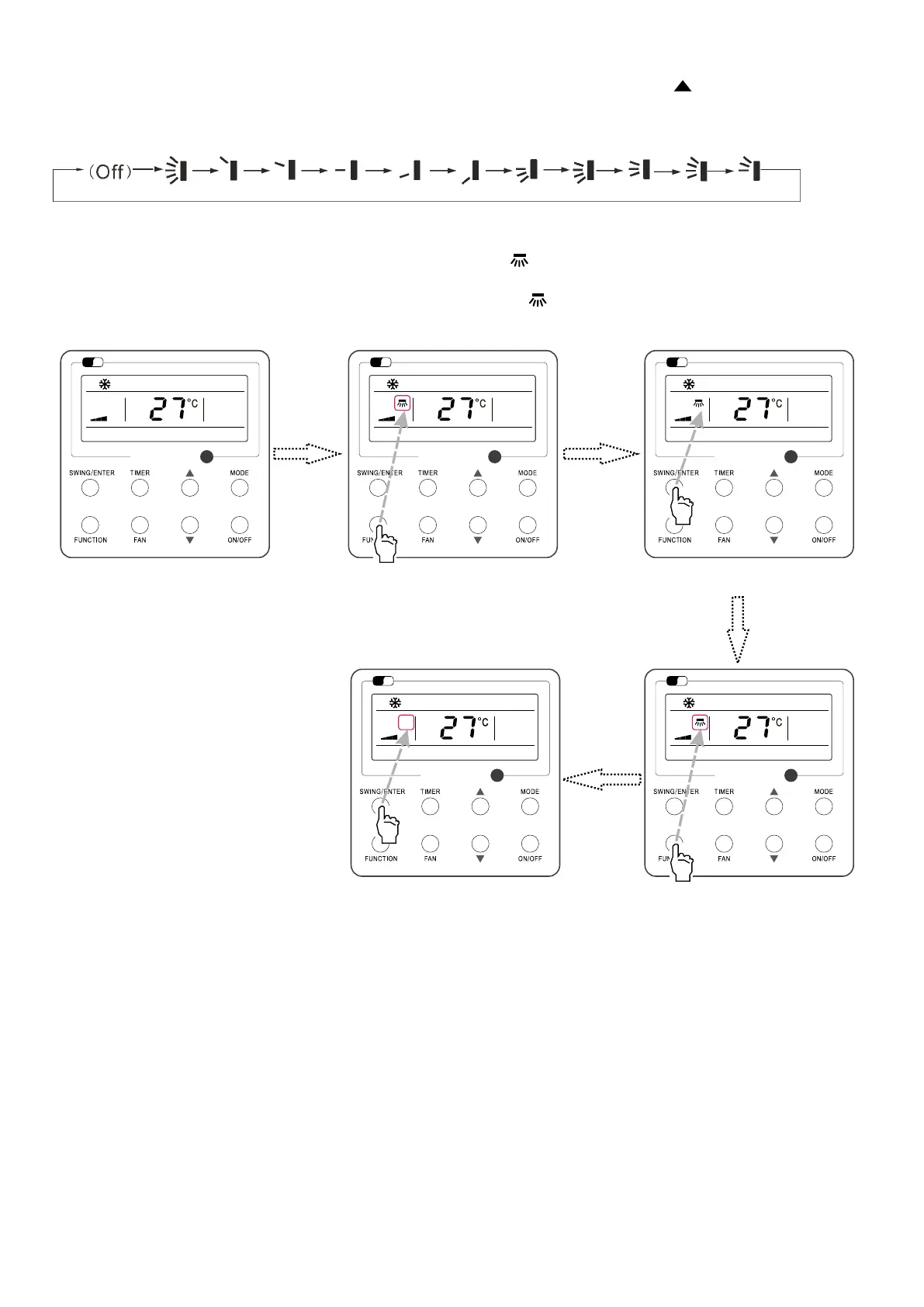
When it is set to be xed swing, press “SWING/ENTER” button, the unit will circularly switch the swing mode according to the order shown below:
4.7 LEFT & RIGHT SWING SETTING (IF AVAILABLE)
Swing On: Press FUNCTION under on state of the unit to activate the swing function. In this case, will blink. After that, press SWING/ENTER to make a conrmation.
After that, press SWING/ENTER to make a conrmation
Swing O: When the Swing function is on, press FUNCTION to enter the Swing setting interface with
blinking.
After that, press SWING/ENTER to cancel this function
Swing setting is shown as Fig.9.
Fig. 9: Swing Setting
Wi
Fi
Wi
Fi
Wi
Fi
Wi
Fi
Wi
Fi
11
Turn on the unit, without turning on swing
function
Press “FUNCTION” button into swing state Press “SWING/ENTER” button to conrm
Press “FUNCTION” button into swing statePress “SWING/ENTER” button to cancel
swing
Note:
1. Sleep, Turbo or X-FAN setting is the same as the Swing setting
2. After the setting has been done, it has to press the key “SWING/ENTER” to back to the setting status or quit automatically ve second later.



 To Next Page