9
4.4 FAN SETTING
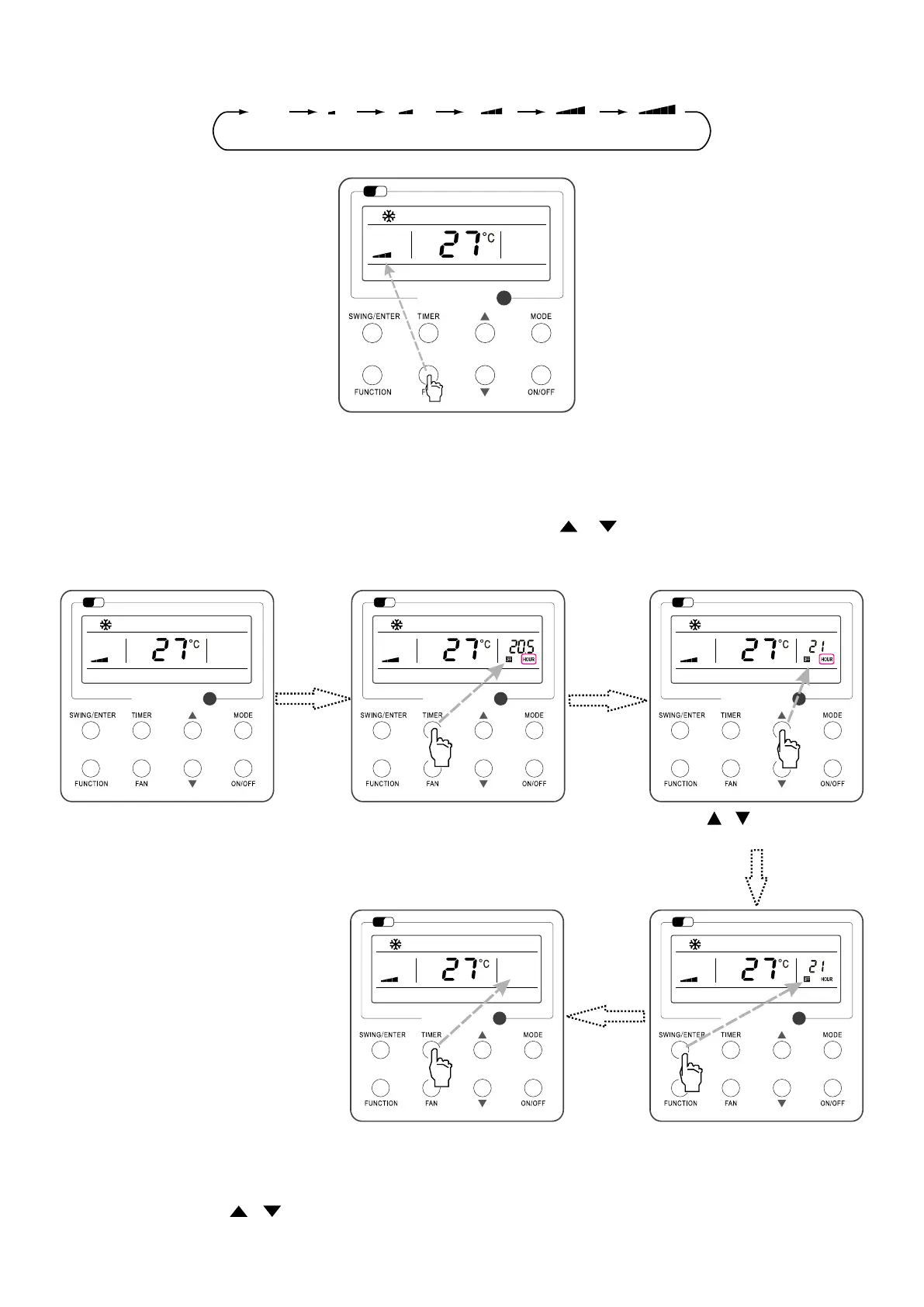
Under the “ON” State of the unit, press Fan and then fan speed of the indoor unit will change circularly as shown in Fig.7.
Fig. 7
Wi
Fi
Auto
(Low) (Medium Low) (Medium) (Medium-High) (High)
4.5 TIMER SETTING
Under the “ON”/”OFF” state of the unit, press Timer to set timer o/on.
Timer on setting: press Timer, and then LCD will display “xx.x hour”, with “hour” blinking. In this case, press “ “ or “ “ to adjust the timing value. Then press SWING/ENTER
to conrm the setting.
Timer o setting: press Timer, if LCD won’t display xx.x hour, and then it means the timer setting is canceled.
Timer o setting under the “ON” state of the unit is shown as Fig.8.
Fig. 8: Timer o Setting under the “ON” State of the Unit
Wi
Fi
Wi
Fi
Wi
Fi
Wi
Fi
Wi
Fi
Turn on the unit, without setting timer Press “TIMER” button to set Press or button to adjust time
Press “SWING/ENTER” to nish timer setting
Press “TIMER” button to cancel
Timer range: 0.5-24hr. Every press of or will make the set time increased or decreased by 0.5hr. If either of them is pressed continuously, the set time will increase/
decrease by 0.5hr every 0.5s.



 To Next Page