12
4.9 TURBO SETTING
Turbo function: The unit at the high fan speed can realize quick cooling or heating so that the room temperature can quickly approach the setting value.
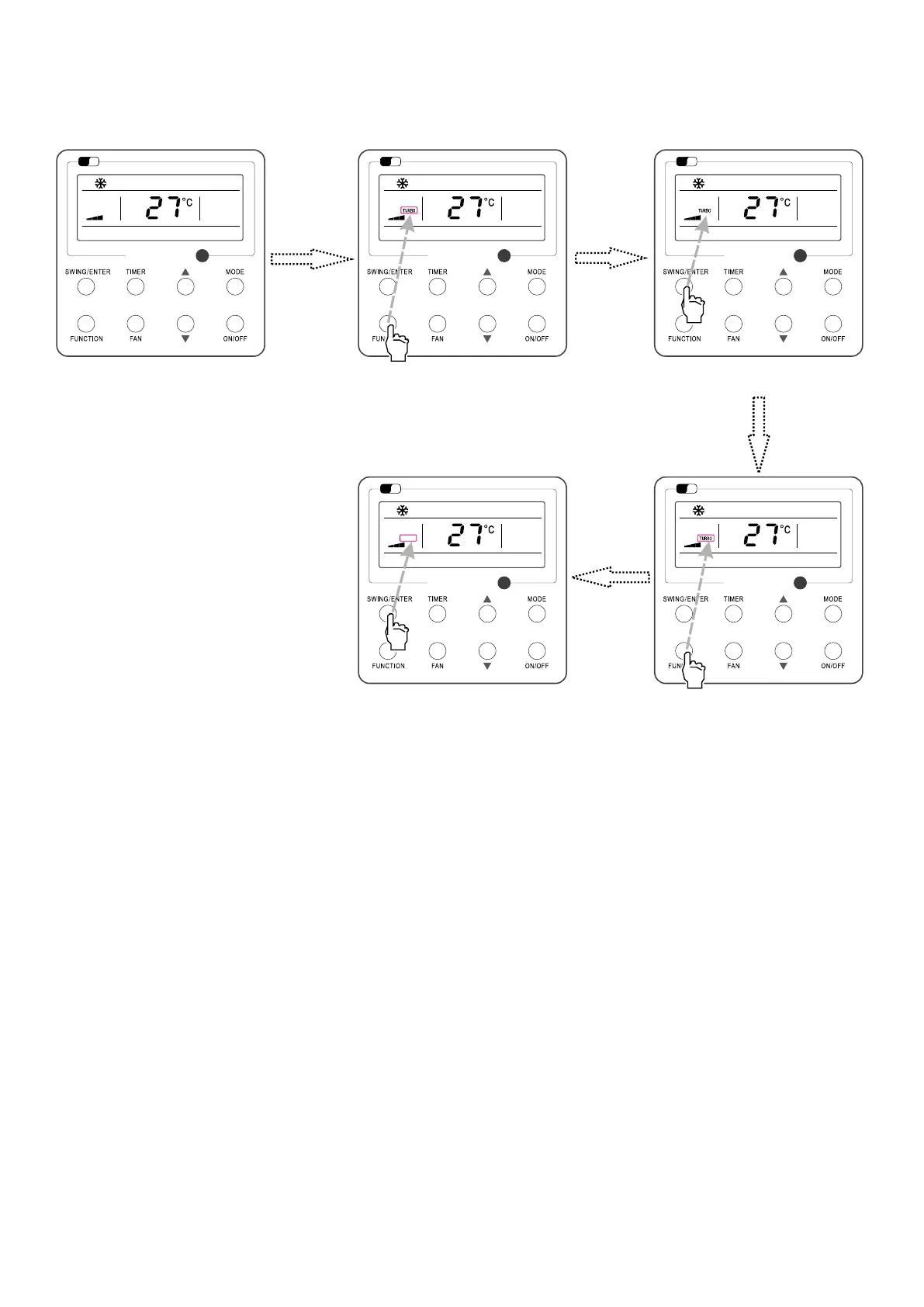
In the Cooling or Heating mode, press FUNCTION till the unit enters the Turbo setting interface and then press SWING/ENTER to conrm the setting.
When the Turbo function is activated, press FUNCTION to enter the Turbo setting interface and then press SWING/ENTER to cancel this function.
Turbo function setting is as shown in Fig.11.
Fig.11: Turbo Setting
Wi
Fi
Wi
Fi
Wi
Fi
Wi
Fi
Wi
Fi
Turn on the unit, without turning on turbo Press “FUNCTION” button into turbo state
Press “SWING/ENTER” to turn on turbo
function
Press “FUNCTION” button into turbo state
Press “SWING/ENTER” to turn o



 To Next Page