11
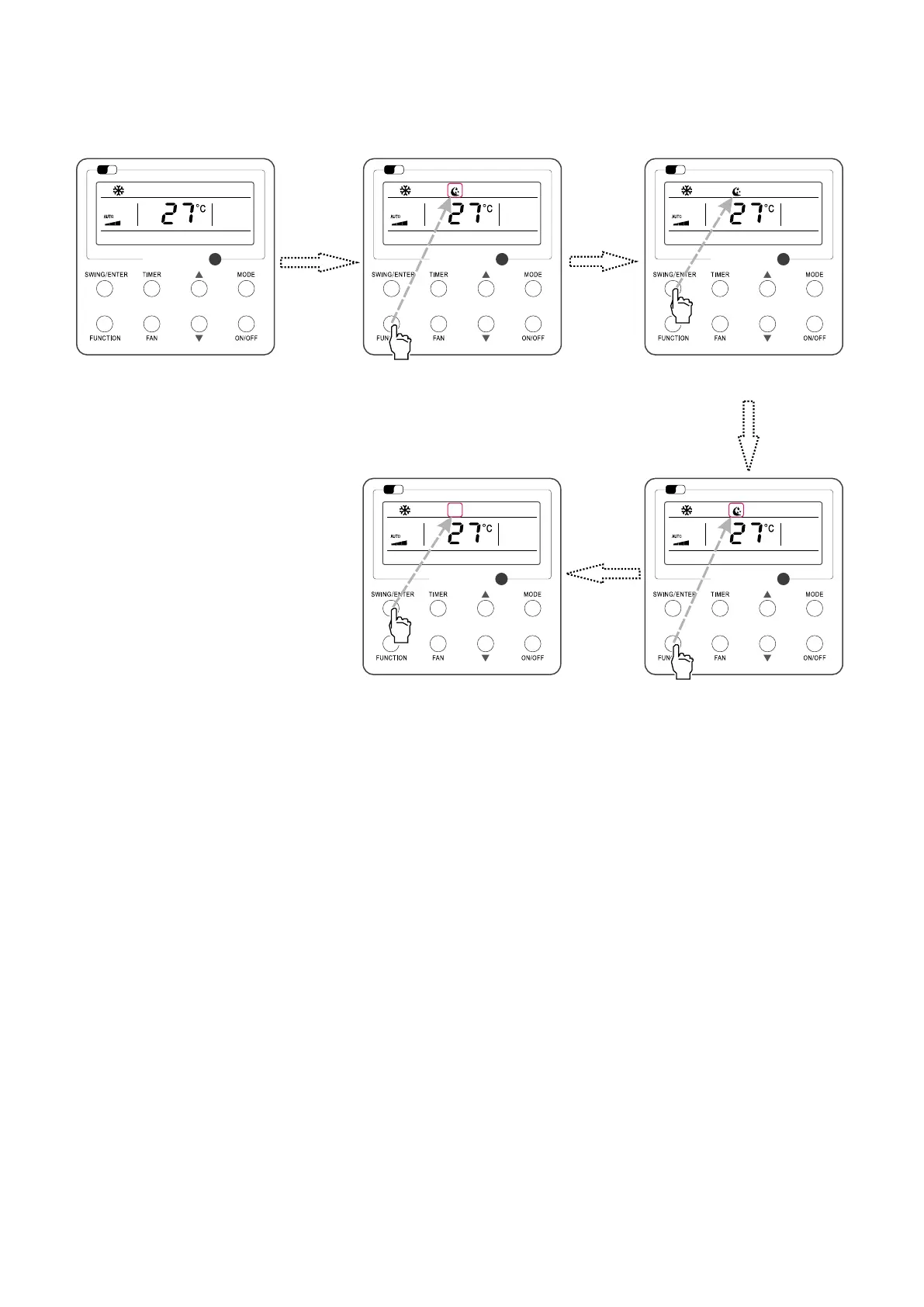
4.8 SLEEP SETTING
Sleep on: Press FUNCTION under on state of the unit till the unit enters the Sleep setting interface.
Press SWING/ENTER to conrm the setting.
Sleep o: When the Sleep function is activated, press FUNCTION to enter the Sleep setting interface. After that, press SWING/ENTER to can this function.
Sleep setting is shown as Fig.10.
Fig. 10: Sleep Setting
Wi
Fi
Wi
Fi
Wi
Fi
Wi
Fi
Wi
Fi
Turn on the unit, without turning on sleep Press “SWING/ENTER” button to
turn on sleep
Press “FUNCTION” button into sleep
Press “FUNCTION” button into sleep
Press “SWING/ENTER” button to cancel
sleep



 To Next Page