13
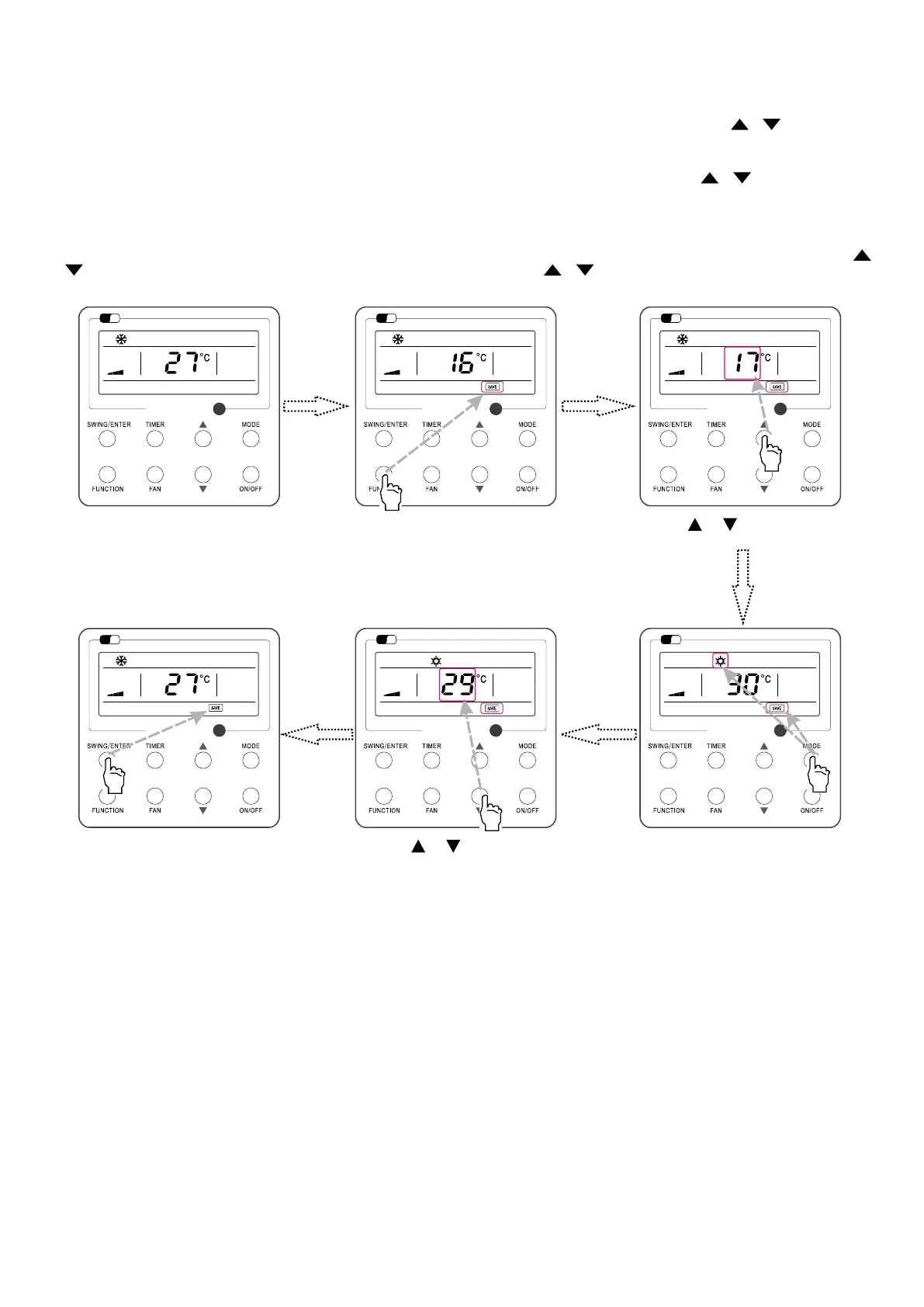
4.10 ENERGY SAVING FUNCTION SETTING
Turn on energy saving function:
1. Energy Saving Setting for Cooling
When the unit runs under the COOL or DRY mode, press FUNCTION button to select "SAVE" function option, with "SAVE" ashing, and then press
or to adjust the lower
limit, after that, press the SWING/ENTER button to activate this function.
2. Energy Saving Setting for Heating
When the unit runs under the HEAT mode, press FUNCTION button to select "SAVE" function option, with "SAVE" ashing, and then press
or to adjust the upper limit,
after that, press SWING/ENTER button to activate this function.
Note: under energy saving setting mode, press “MODE” button to switch the energy saving setting for COOL or HEAT mode.
Cancel energy saving function:
If energy saving function has been set, press FUNCTION button on the panel to select “SAVE”. When "SAVE" icon ashes, if you press SWING/ENTER button without pressing
or button, energy saving function will be canceled; if you press SWING/ENTER button after pressing or button, energy saving function will be activated.
Fig. 12: Energy Saving Function Setting
Wi
Fi
Wi
Fi
Wi
Fi
Wi
Fi
Wi
Fi
Wi
Fi
Turn on the unit with the “SAVE” function
deactivated
Press “FUNCTION” button to select the
“SAVE” function option
Press or to adjust the lower
limit
Press “MODE” button to switch to the
“SAVE” setting for heating
Press “SWING/ENTER” button to activate
the “SAVE” function
Press or to adjust the upper
limit



 To Next Page