Analog Duplex System
Subject to Export Control, see Cover Page for details.
8-37
Source
Selects signal source.
File Name
Indicates the Data Log File currently running or being displayed on Sensitivity Search Tiles. The
File name is limited to 18 characters and can not contain any blank spaces. The Test Set logs
data to the last selected Data Log File until a new file name is assigned.
To add to an existing Data Log File:
1. Press [File Manager] Soft Key.
2. Select desired Data Log File from list and press [Set as Current] Soft Key.
3. Press Return, then [Logging} Soft Key to start logging data to the selected Data Log File.
To Create New Data Log File
1. Select File Name field on main Sensitivity Search Tile.
2. Enter desired file name in field.
3. Data is automatically saved under designated file name when [Logging] Soft Key is
pressed.
[Logging Start/Stop] Soft Key
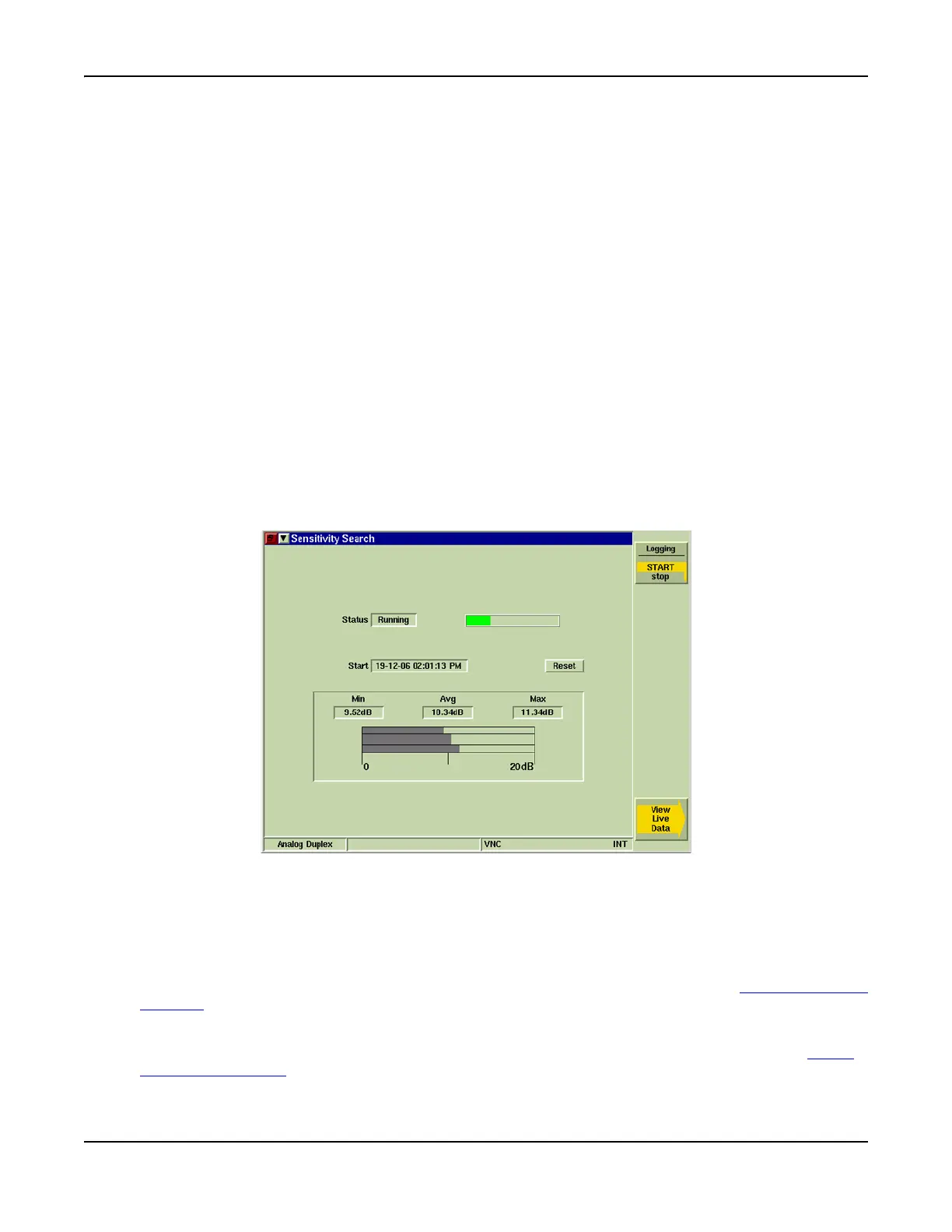
Starts and stops logging data. When Status is Running, the Sensitivity Search Tile appears as
shown in Fig. 8-29. When logging is complete, display Tile defaults back to Main Sensitivity
Search Tile (refer to Fig. 8-28).
Fig. 8-29 Sensitivity Search Tile - Log Running
[View Live Data] Soft Key
Opens soft key sub-menu (refer to Fig. 8-30) that allows user to view data as if it acquired. This
soft key is only available while data is being logged (Status field indicates Running).
[Logging] Soft Key
Displays log file as data is acquired. This soft key is accessed by pressing the [View Live Data]
Soft Key while Data Log is running (refer to Fig. 8-30).
[Plot] Soft Key
Displays graph plot of data as it is acquired. This soft key is accessed by pressing the [View
Live Data] Soft Key while data is being logged (refer to Fig. 8-30).













 To Next Page