2-34 Subject to Export Control, see Cover Page for details.
2-4-2. INSTALL/REMOVE LICENSE (cont)
Remove License
Follow these instructions to remove the License from the Unit:
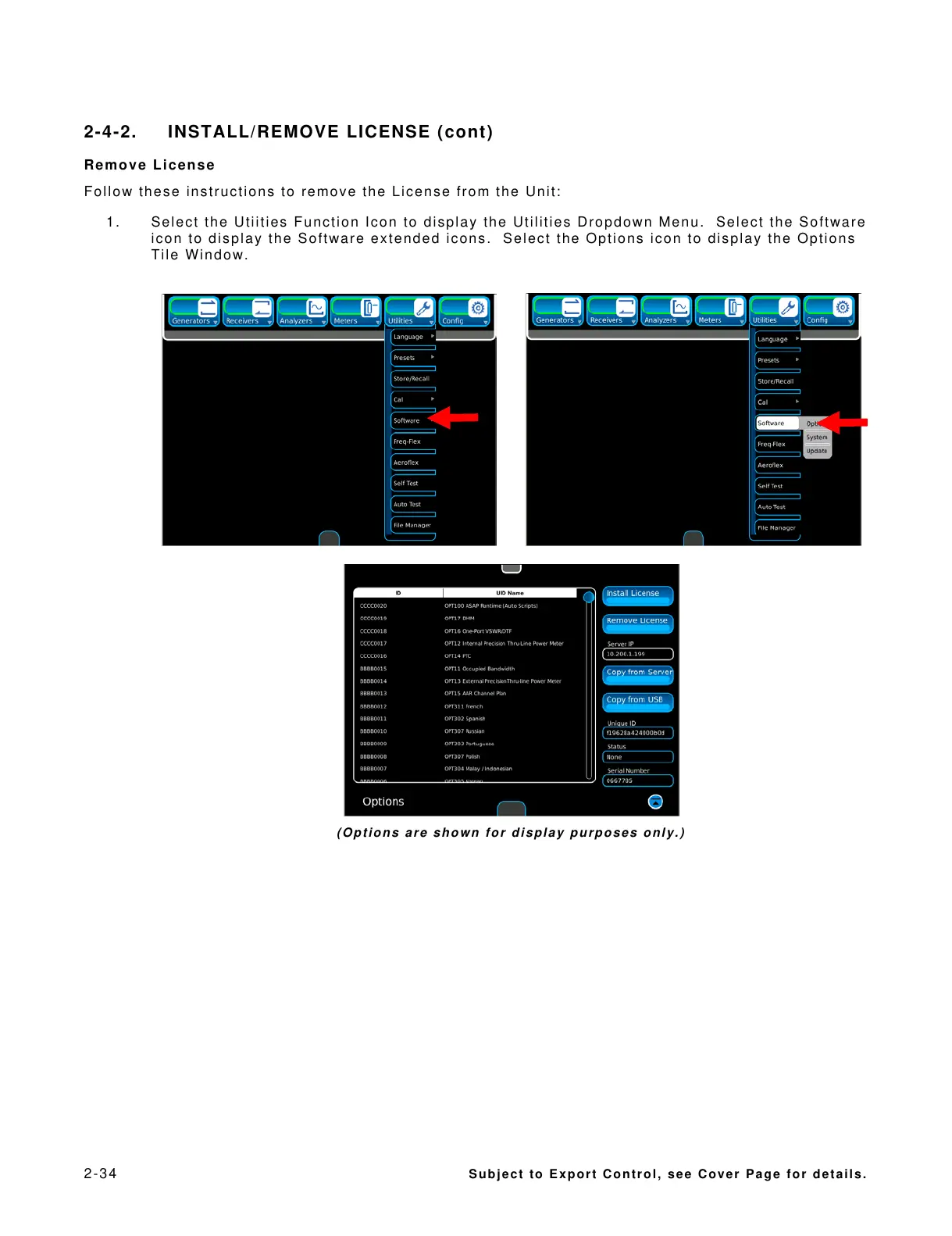
1. Select the Utiities Function Icon to display the Utilities Dropdown Menu. Select the Software
icon to display the Software extended icons. Select the Options icon to display the Options
Tile Window.
(Options are shown for display purposes only.)













 To Next Page