AgfaPhoto OPTIMA 145 AgfaPhoto OPTIMA 145
23
AgfaPhoto OPTIMA 145 AgfaPhoto OPTIMA 145
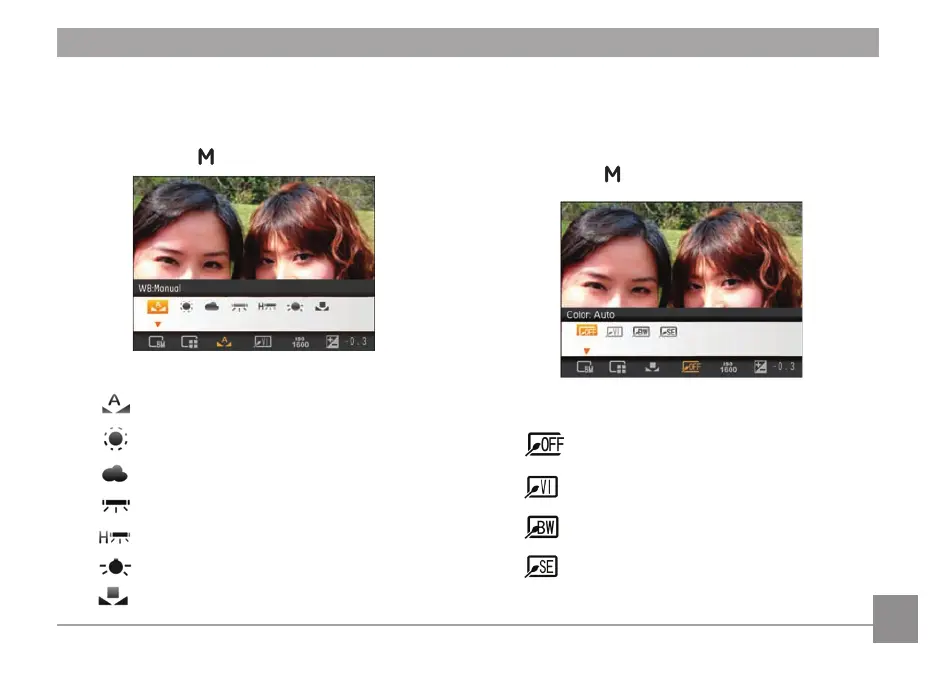
Color
The color setting feature allows you to add artistic color
effects to your images when taking pictures. You can try
different color tones to alter the mood of your pictures.
(The colour setting feature is only available when the
camera is in the
Manual mode).
The color options include:
•
Color : Auto
•
Color : Vivid
•
Color : Black & White
•
Color : Sepia
WB (White Balance)
The White Balance allows you to adjust the color
temperature from different light sources to ensure faithful
color reproduction. (The WB setting is only available when
the camera is in the
Manual mode).
The options of White Balance include:
•
WB : Auto
•
WB : Daylight
•
WB : Cloudy
•
WB : Fluorescent
•
WB : Fluorescent CWF
•
WB : Incandescent
•
WB : Manual (Press the shutter button to set WB)













 To Next Page