48 49
AgfaPhoto OPTIMA 145 AgfaPhoto OPTIMA 145AgfaPhoto OPTIMA 145 AgfaPhoto OPTIMA 145
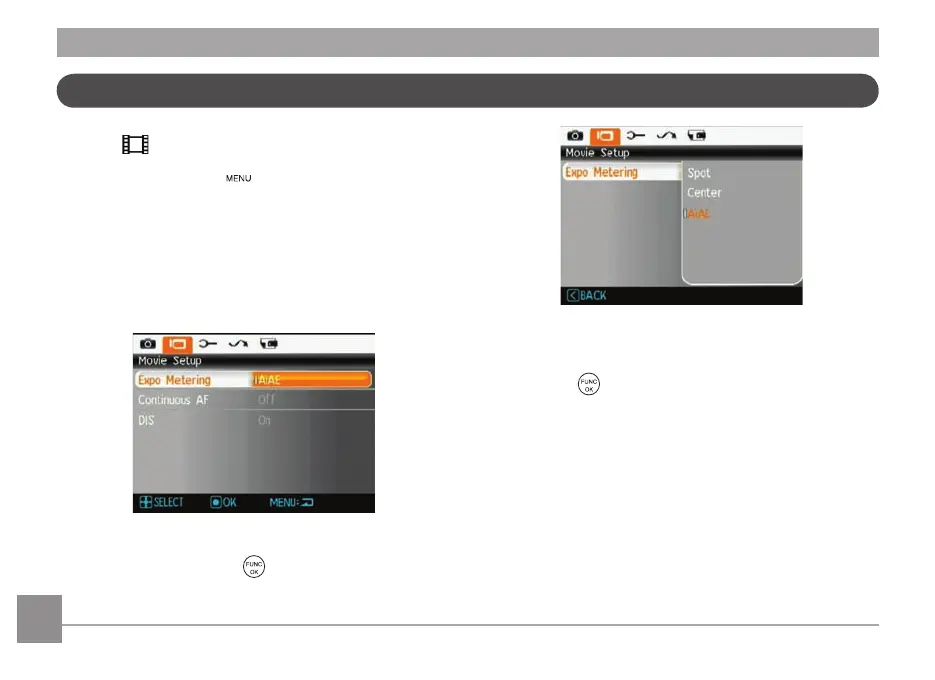
Movie Menu
Mode:
In Movie Mode, press the button to go to the corre-
sponding Movie menu.
To configure each setting:
1. In the Movie menu, switch between the Movie Setup
or different Camera Setup pages using the Left/Right
button, select the page with the function you want to
adjust and press the Down button.
2. Press the Up/Down arrow button to select the function
to be set, and press the
or Right button to enter
the submenu.
3. Press Up/Down button to select an option, or press
Left button to return to the menu.
4. Press the
button to confirm the setting and return
to the previous page.
Refer to the following pages for more details about each
sett
ing.













 To Next Page