60 61
AgfaPhoto OPTIMA 145 AgfaPhoto OPTIMA 145
61
AgfaPhoto OPTIMA 145 AgfaPhoto OPTIMA 145
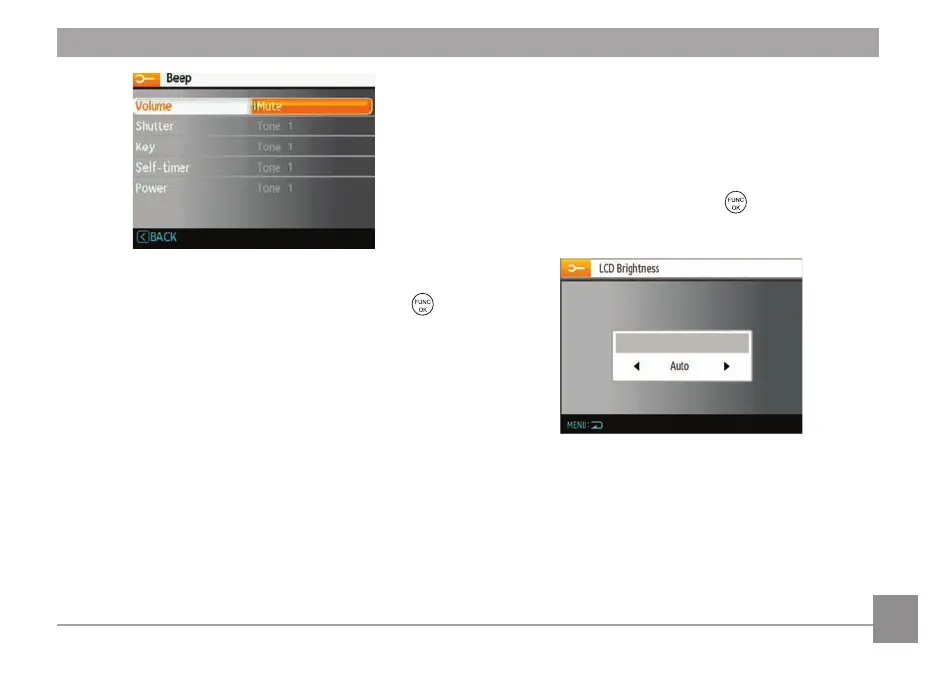
3. Press the Right button, then press the Up/Down button
to adjust volume and change tones, and press the
button to confirm the setting.
LCD Brightness
Use this setting to adjust the brightness of your LCD
screen.
1. Select the LCD Brightness sett
ing from the Setup
menu as described previously.
2. Select auto or adjust the brightness level by using the
Left/Right button, and press the
button to confirm
the setting.













 To Next Page