14 15
AgfaPhoto OPTIMA 145 AgfaPhoto OPTIMA 145
14 15
AgfaPhoto OPTIMA 145 AgfaPhoto OPTIMA 145
Set Time, date/time
The Date/Time and Language setup will automatically
appear when the camera is turned on the first time.
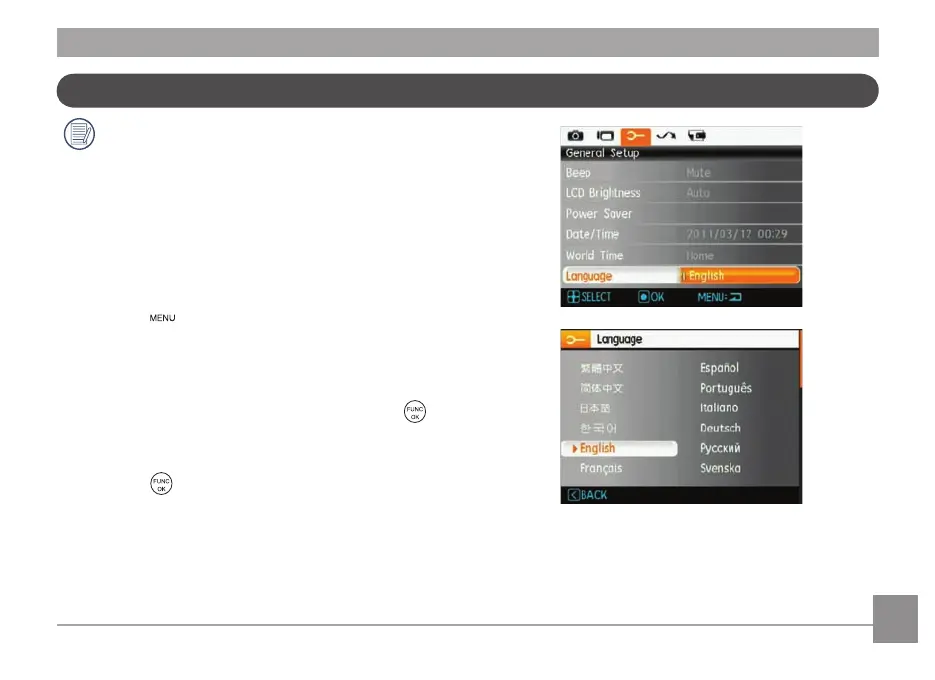
To set the language, date, and time, go to the following
setup options in the General Setup menu.
• Language
• Date / T
ime
To access the
General Setup
menu, do the follow
ing:
1. Press the Power button to turn the camera on.
2. Press the
button, then switch among the settings
menus by using the
Left/Right
button and select
General Setup.
Setting the Language
1. Select language with the Down button, press the or
right button to enter the setting.
2. Use the
Up/Down/Left/Right
buttons to select the
desired language.
3. Press the
button to confirm the setting.













 To Next Page