62
AgfaPhoto OPTIMA 145 AgfaPhoto OPTIMA 145
62 63
AgfaPhoto OPTIMA 145 AgfaPhoto OPTIMA 145
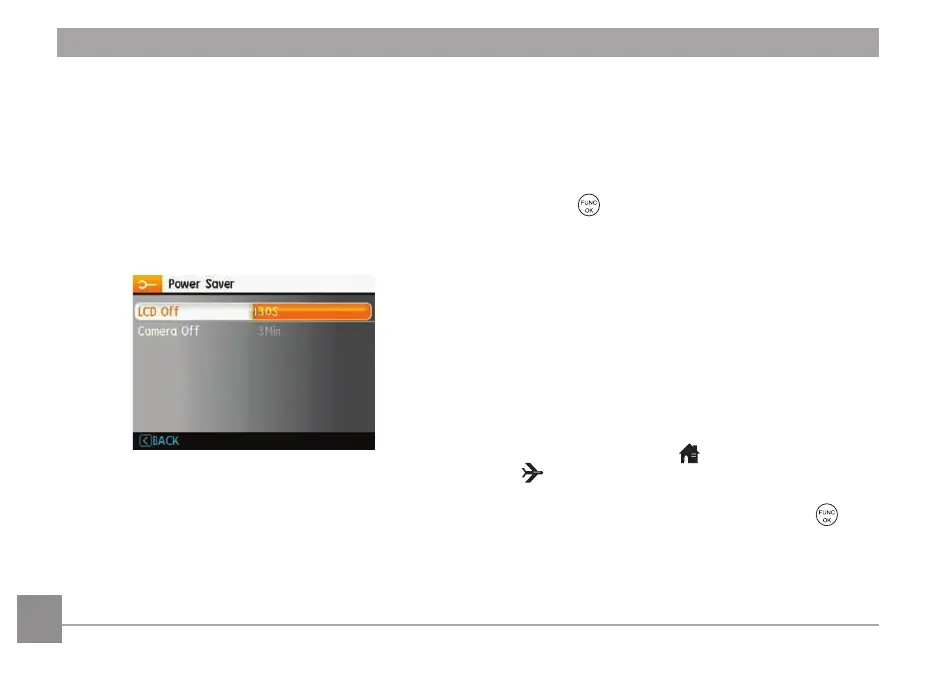
Power Saver
This setting allows you to save power and get the
maximum possible running time from your batteries. Follow
the steps below to turn off the LCD screen and camera
automatically after a period of inactivity.
1. Select the Power Save sett
ing from the Setup menu as
described previously.
2. Press the Up/Down button to select the power items
for the screen and camera and press the Right button.
3. Press the Up/Down button to adjust the selected item.
Both items have the following options:
• LCD Off :
30 sec, 1 m
in, 2 min, and ON.
• Camera Off :
3 m
in, 5 min, 10 min, and ON.
4. Press the
button to confirm.
Date/Time
See “
Setting
the
Date
and
Time
“ sect
ion on page 16.
World Time
The World Time setting is a useful function on your
overseas trips. This feature enables you to display the local
time on the LCD screen while you are overseas.
1. Select the World Time sett
ing from the Setup menu as
described previously. The world time screen will appear.
2. Use the Up/Down nav
igation buttons to switch
between the hometown (
) and travel destination
(
) fields.
3. Use the Left/Right nav
igation buttons to select a city
close to the desired time zone. Then press the
button to confirm.













 To Next Page