18 19
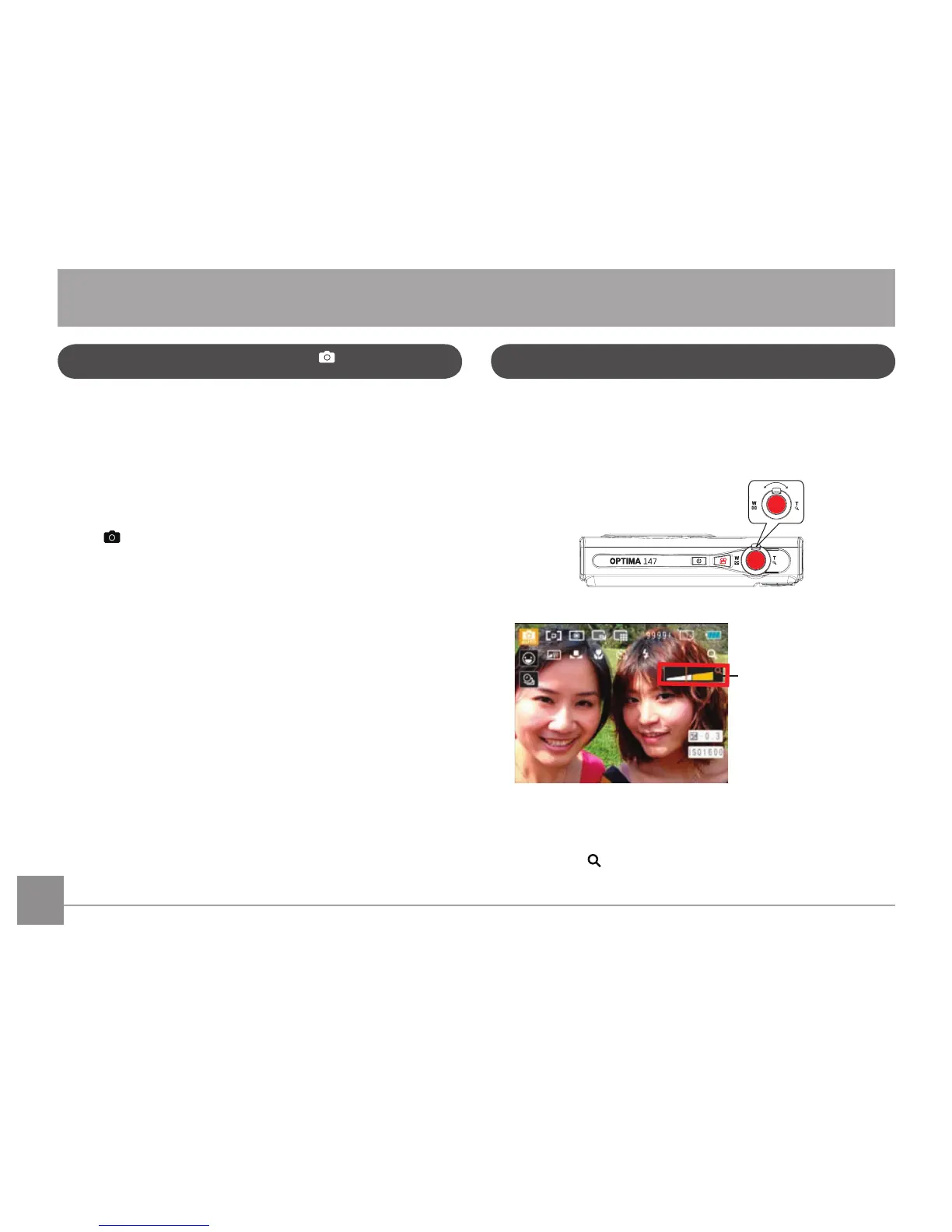
There are two built-in zoom functions: optical zoom and
digital zoom. When taking photos, you can zoom in or out
on an object using the zoom wheel.
Zoom Wheel
Zoom indicator (See
“Digital Zoom“ on
page 47)
Optical zoom is initially used until it reaches the maximal
threshold. Thereafter, it will switch over from optical to
digital zoom. After adjusting, the zoom axis display will be
hidden, only
will be displayed to indicate the current
zoom status.
Shooting in Auto Mode
Auto mode is the easiest mode to take photos. While
operating in this mode, the camera automatically optimizes
your photos for best results.
To start shooting, do the following:
1.
Press Power to turn the camera on.
2.
Press the Mode button to select Automatic mode
(
).
3. Compose your picture on the LCD screen and press the
Shutter button halfway to focus on the subject.
4. The LCD screen will show green focus frame after the
subject is in focus.
5. Press Shutter fully to capture the image.
Using the Zoom Function
BASIC OPERATION













 To Next Page