EasyManua.ls Logo

AgfaPhoto OPTIMA 3 - Inserting Battery and Memory Card; Opening Battery Compartment; Inserting the Battery

AgfaPhoto OPTIMA 3
80 pages
Print Icon
To Next Page IconTo Next Page
To Previous Page IconTo Previous Page
Loading...
10 11
AgfaPhoto OPTIMA 3 AgfaPhoto OPTIMA 3
10 11
AgfaPhoto OPTIMA 3 AgfaPhoto OPTIMA 3
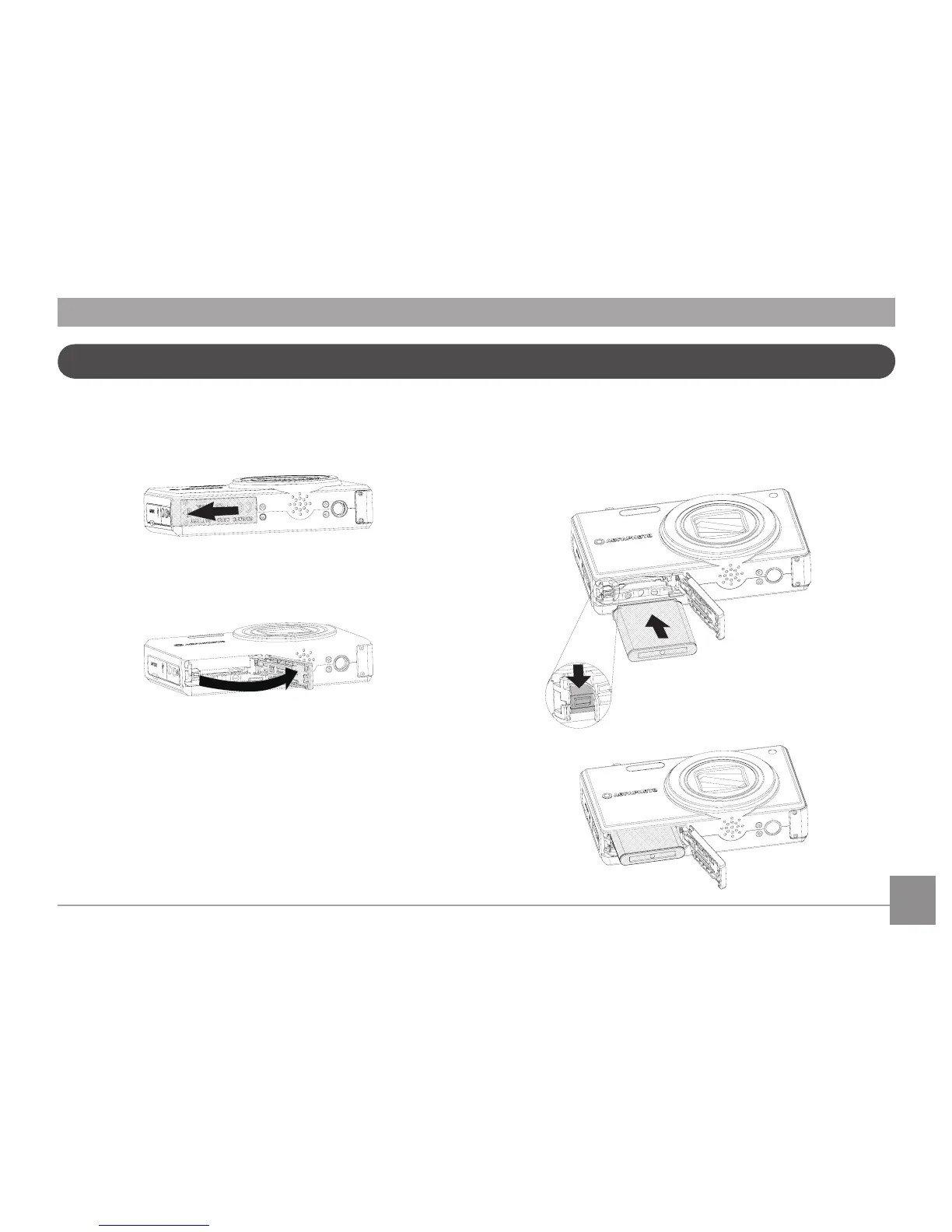
Insert the Battery and SD/SDHC Card (Not included)
2. Insert the battery while observing the correct
polarity. Use the side of battery to press down
the stopper as shown, allowing the battery to
lock into place properly.
1. Open the battery compartment.


Table of Contents

Other manuals for AgfaPhoto OPTIMA 3

Related product manuals