CHAPTER 7 WIFI CONFIGURATION
32 33
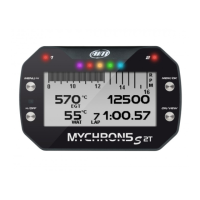
MYCHRON5
The name of this AP, or SSID, is unique to your device.
An example name is:
“AiM-M5-054321"
Whereas:
n
“AiM” is the prefix for all AiM devices;
n
“M5” is type of system identifier; and
n
“054321” is a unique serial number for your device assigned at the factory.
To make your device more recognizable, you can append a friendly name to the SSID.
There is a limit of eight characters.
For example, if you add the driver's name, Tom Wolf, the resulting network name
(SSID) will be:
AiM-M5-054321-Tom Wolf
After having set all the parameters, click the Transmit and Restart button.
Your MyChron5 will re
start and be configured with the new parameters.
To connect to your MyChron5, simply choose your device’s name from the dropdown
list of available WiFi connections from within Race Studio 3.
If your MyChron5 is protected by a password, as recommended, Race Studio 3 will
then require that password to authenticate.
Please note that it is also possible to make the same WiFi connection using the
Wi
Fi
tools of your operating system.
MANUALE IMPAGINATO.qxp_Layout 1 25/11/15 16:04 Pagina 37


 To Next Page