CHAPTER 7
38 39
MYCHRON5
This chapter reports a basic description of one WLAN configuration having AiM
devices and a user’s PC on it.
This guide suggests the use of a Linksys AS3200 device as the network device in order
to provide a WLAN. However, you can use any other network device that has at least
both one 3x3 MIMO and one DHCP server.
Moreover, in order to maximize the bandwidth, the Internet should not be allowe
d
through this WLAN. Hence, the DHCP server has to be configured without both DNS
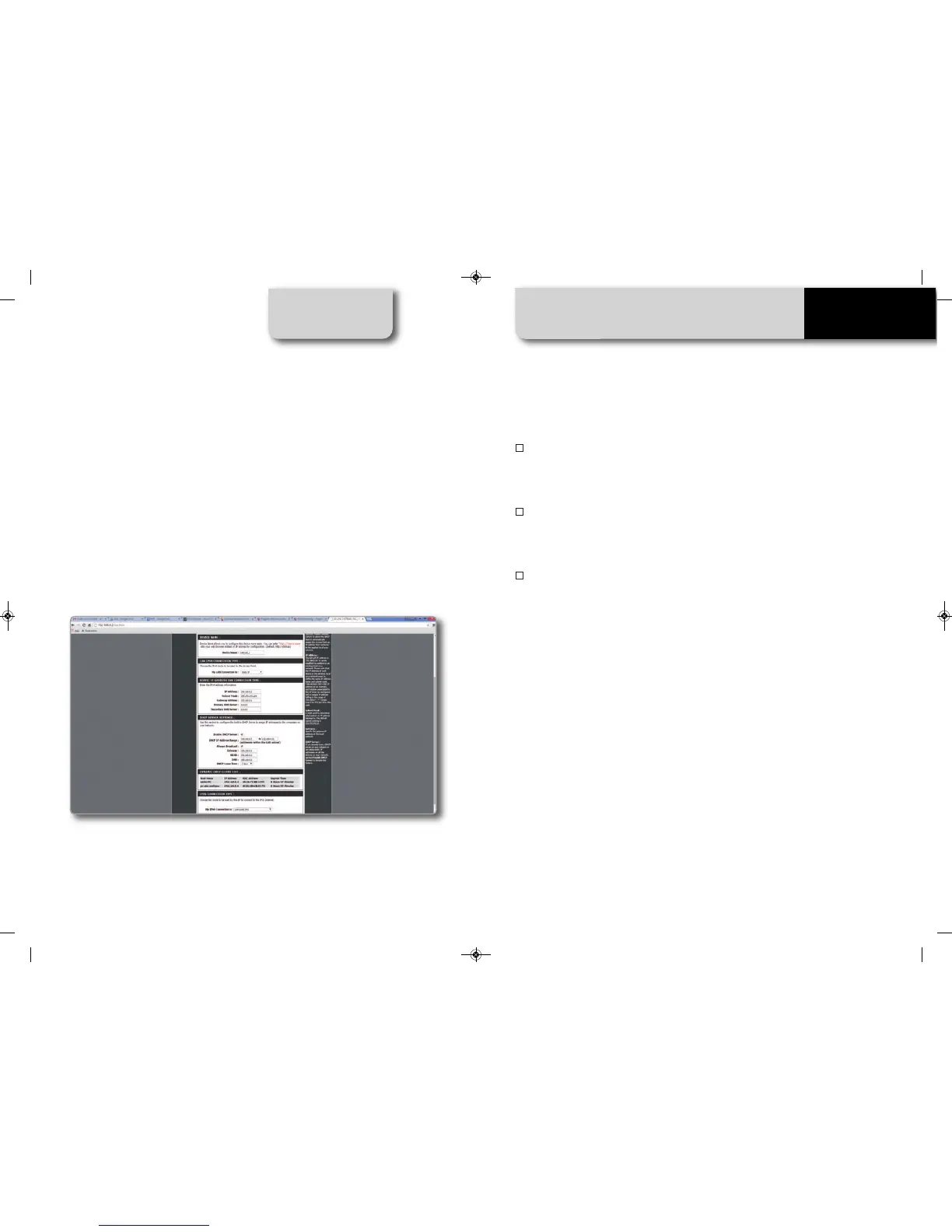
and default gateway addresses. A typical example of configuration is shown in Figure
10.
As you can see by the picture, the network device configuration parameters are the
following:
n
Wireless network name: network_1
(It states that the network name belonging to the WLAN is “AiM-WLAN.” Hence, one
user’s PC needs to be authenticated to this network in order to interact with any AiM
devices on this network.)
n
Gateway address: 192.168.0.1
Primary DNS server: 0.0.0.0
Secondary DNS server: 0.0.0.0
(These settings prevent internet connectivity through this WLAN.)
n
Subnet mask: 255.255.255.224
Enable DHCP server: yes
DHCP IP address range: 192.168.0.3 to 192.168.0.31
(These settings enable a DHCP server running on this WLAN. It gives IP addresses
belonging to the range: 3-31. Hence, 29 network hosts are permitted on this
network.)
The number of network devices on one WLAN depends on the subnet mask.
This guide suggests the use of the following network masks and IP addre
ss range:
Subnet mask: IP address range: Number of devices:
255.255.255.0 192.168.0.1 - 254 254
255.255.255.128 192.168.0.1 - 126 126
255.255.255.192 192.168.0.1 - 62 62
255.255.255.224 192.168.0.1 - 30 30
255.255.255.240 192.168.0.1 - 14 14
255.255.255.248 192.168.0.1 - 6 6
The bold one is the configuration we suggest (if a greater number of devices is not
needed), as it makes it easier a
nd quicker for RaceStudio3 to identify devices on the
network.
7.4 High-Performance WLAN Setup
MANUALE IMPAGINATO.qxp_Layout 1 25/11/15 16:04 Pagina 43


 To Next Page