CHAPTER 7
40 41
MYCHRON5
For optimal network speed for your AiM device(s), we have recommended not
allowing an internet connection on the same network and have provided WLAN
settings that prohibit an internet connection.
Please know that it is certainly possible to allow internet access on the same network
as your AiM device(s), but doing so can degrade the performance of AiM device
communication.
These slightly slowe
r network speeds may be suitable for your needs.
Also note that it is possible to have a second WiFi connection by means of additional
hardware (NIC).
Such a configuration would provide optimal data network speed for your AiM
device(s) and simultaneously provide internet access via the second NIC.
7.5 About Internet Connectivity
The main issue in this case is that the
host OS (Mac) shares the WiFi interface
with the virtualized OS (Windows) not
as a WiFi interface but as an Ethernet
interface.
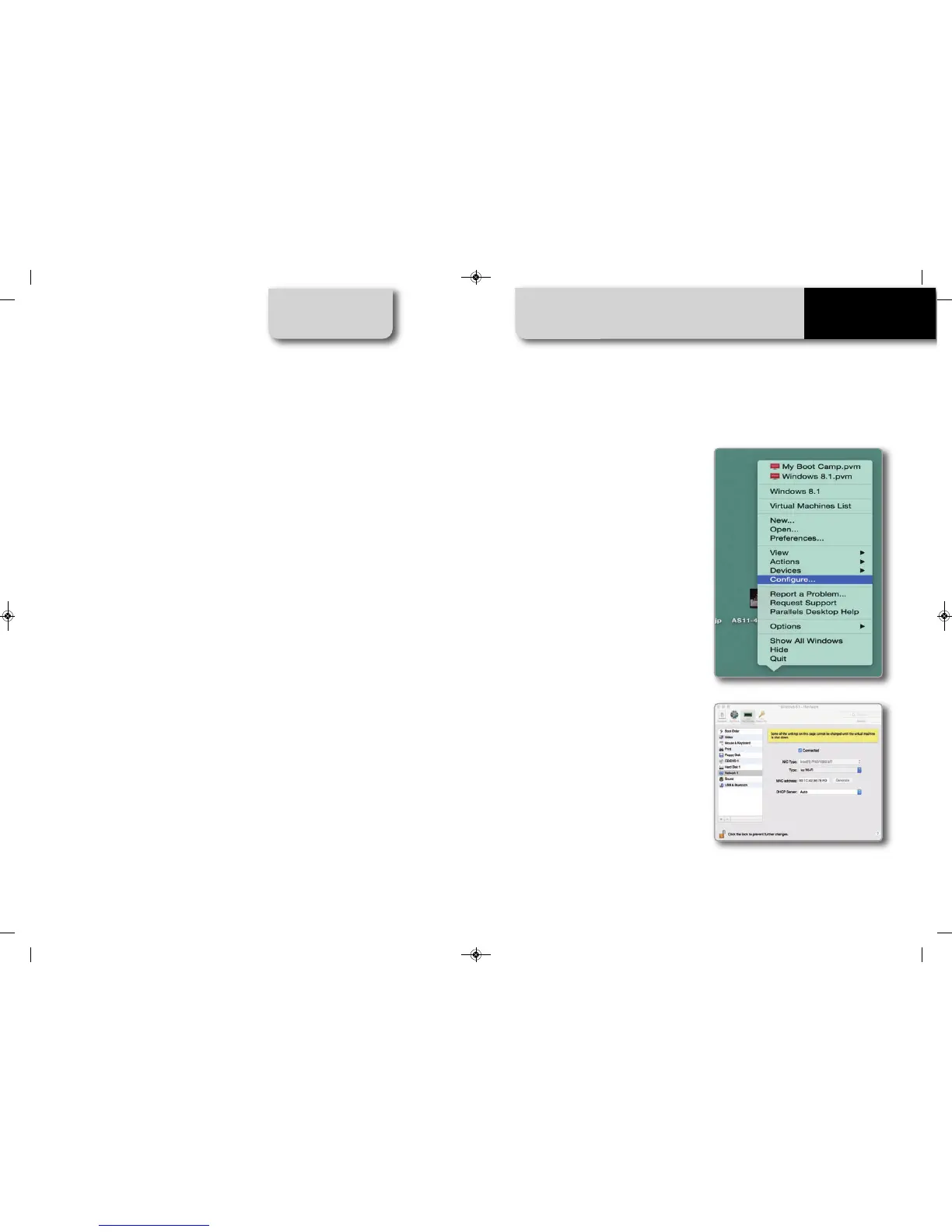
Configuring Parallels(™)
Choose the “Configure…” menu from
the Parallels icon.
In the window you’re prompted,
choose the Hardware button at the top
then the Network line at the left. In the
right configuration part, be sure to
choose Wi-Fi in the Type field.
Then, choose the device you want to
communicate with.
7.6 Working with Mac(™) OS and Virtualized
Windows(™)
MANUALE IMPAGINATO.qxp_Layout 1 25/11/15 16:04 Pagina 45



 To Next Page