Page 26
[[PROgRaMMing MEnU
The Step Auxiliary function allows you to program Auxiliary Channel 3 to move in dened Step amounts throughout its entire
range of travel. Step values can be dened, then you can move the Auxiliary Channel 3 servo in those Step amounts, using
either the TRM switch or by pressing the +/INC and DEC/- keys. For example, if you are running a boat that features a remotely
adjustable trim plate, you can use the Step Auxiliary function to operate the trim plate up or down. Step values are adjustable
for very ne servo travel or for large amounts of servo travel at one time.
Prior to programming the Step Auxiliary function, the Auxiliary Lever should be in the
OFF position (pushed DOWN). Once programming is complete move the Auxiliary Lever
UP to turn the function ON or down to turn the function OFF.
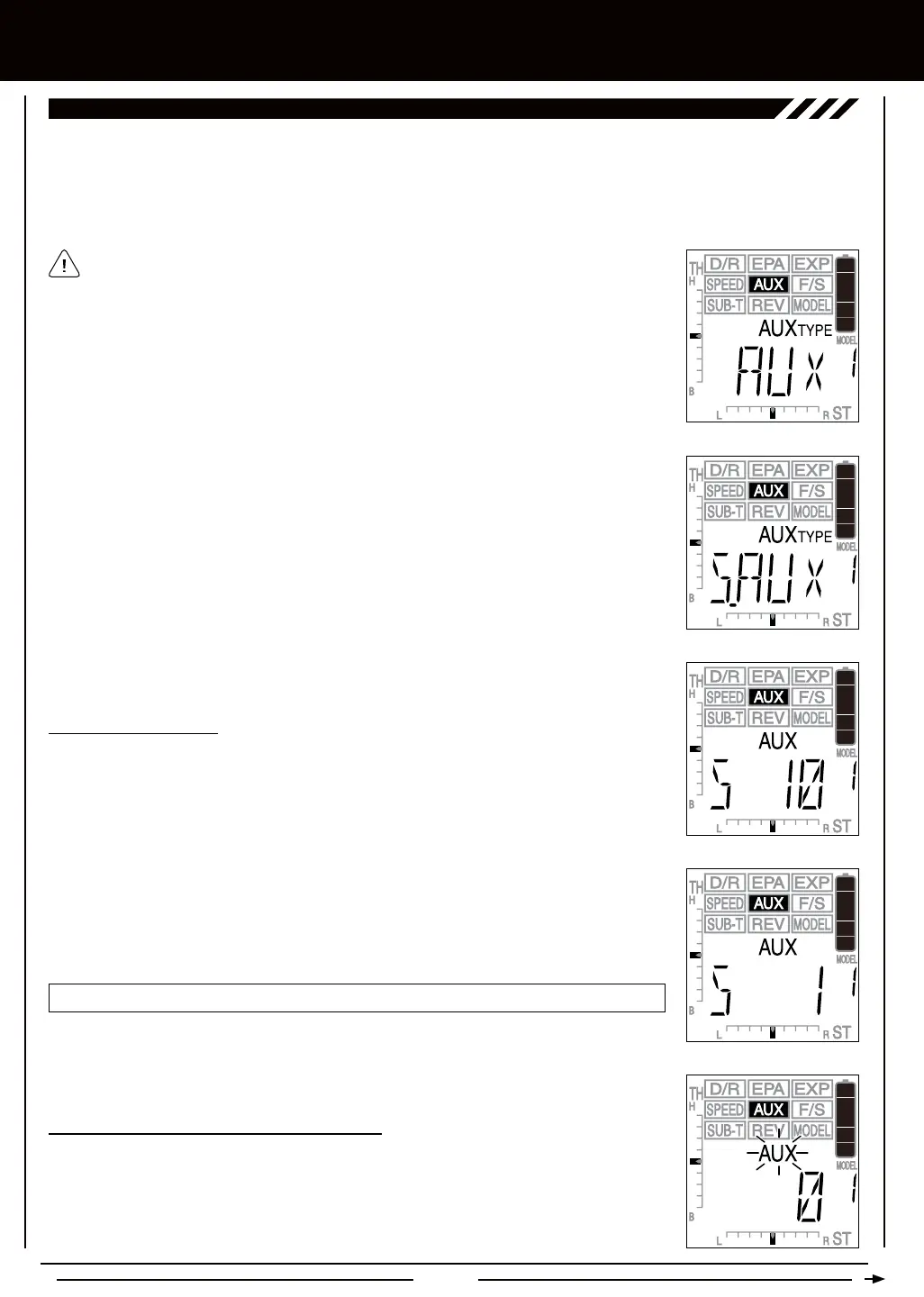
S_ aUx - STEP aUxiLiaRY
2) Press the +/INC or DEC/- keys until S_AUX is displayed in the Programming Window and
ashing.
3) To select the S_AUX menu, press and HOLD the +/INC and DEC/- keys at the same time.
When selected, S_AUX will stop ashing.
1) Press the Right or Left MENU key to highlight the AUX menu. AUX will be displayed in the
Programming Window.
1) From within the S_AUX menu, press the Right MENU key. AUX S 10 will be displayed in
the Programming Window.
AUX-S setting range is 1 to 10, 20, 30, 40, 50, 60, 70, 80, 90, and 100. The default setting is 10.
2) Press the +/INC or DEC/- keys to choose the Step value you would like to program. The higher
the number, the more the Auxiliary Channel 3 servo travels with each press of the +/INC or
DEC/- keys and the lower the number the less the Auxiliary Channel 3 servo travels with each
press of the +/INC or DEC/- keys.
1) To Activate and use the Step Auxiliary function, move the Auxiliary Lever to the ON position
(pushed UP). AUX will ash in the Programming Window and 0 will be displayed. In addition,
the Power Indicator Light will ash rapidly.



 To Next Page