Parts
13
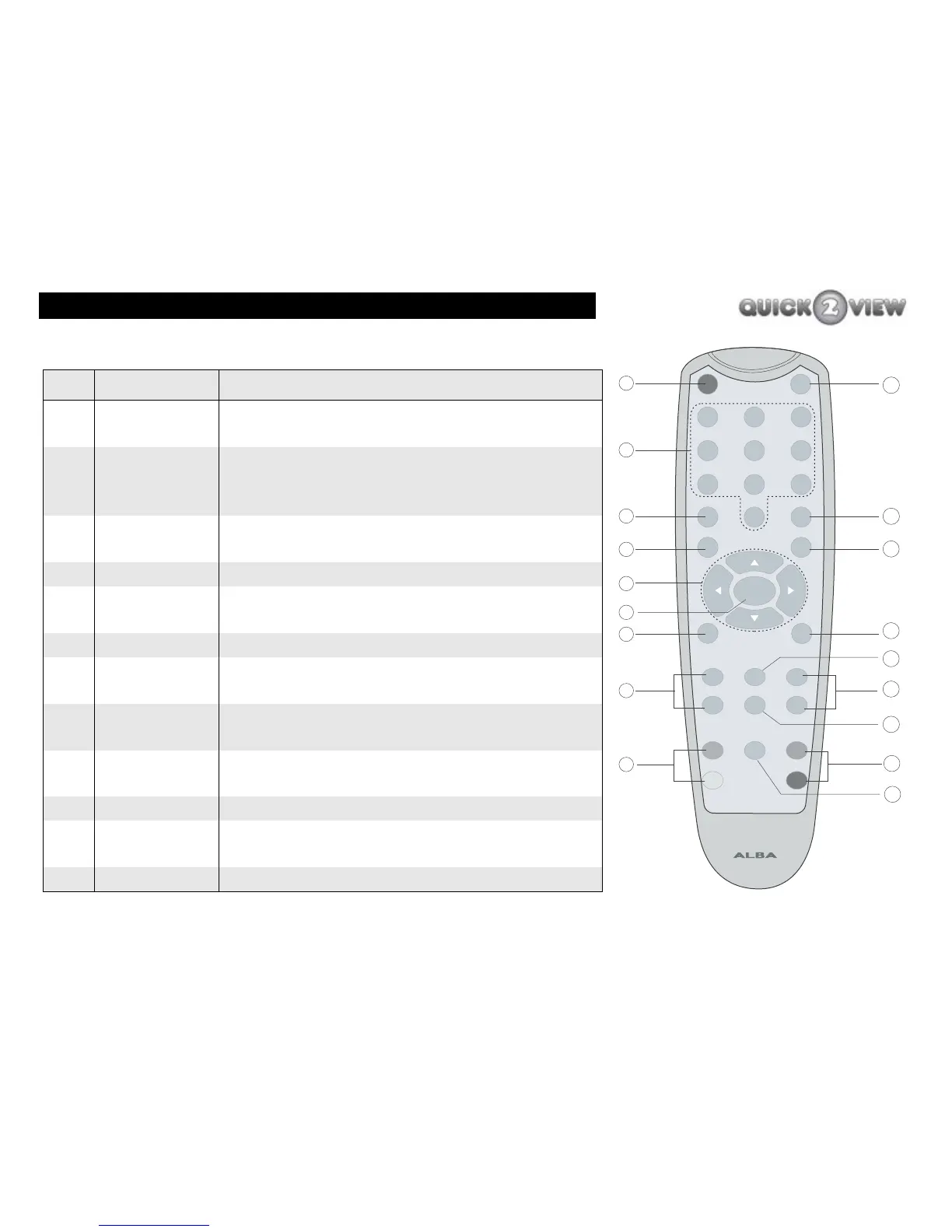
Remote control
Ref Button Name What does it do?
1 ‘POWER’ This button switches the set-top box to
standby mode.
2 0 - 9 These buttons select channel numbers and
you can also use them to enter numbers in
menus.
3 ‘TEXT’ This button opens digital text or interactive
services (see the note on the next page).
4 ‘MENU’ This button displays the main menu.
5 ‘up’ ‘down’
‘left’ ‘right’
These buttons move between items in a
menu.
6 ‘SELECT’ This button selects an item in a menu.
7 ‘WIDE’ This button selects the screen format (for
example, normal or wide).
8 ‘VOL+’, ‘VOL-
’
These buttons adjust the volume up (VOL +)
or down (VOL -).
9 ‘Colour
buttons’
These buttons select functions in digital text
mode.(Blue, Yellow, Green, Red)
10 ‘MUTE’ This button turns off the volume.
11 ‘RECALL’ This button switches between the last two
channels you were watching.
12 ‘EXIT’ This button exits from the main menu.
INFO
PROG+
PROG-
3
9
RECALL
EXIT
6
10
11
15
17
12
13
14
16
9
WIDE
GUIDE
TIME
SUBTITLE
POWER
MUTE
12
78
0
VOL-
VOL+
TEXT
MENU
SELECT
5
4
1
4
5
8
9
3
6
7
2
Green
Red
Yellow
Blue
Sensor



 To Next Page