Parts
15
Using the remote control
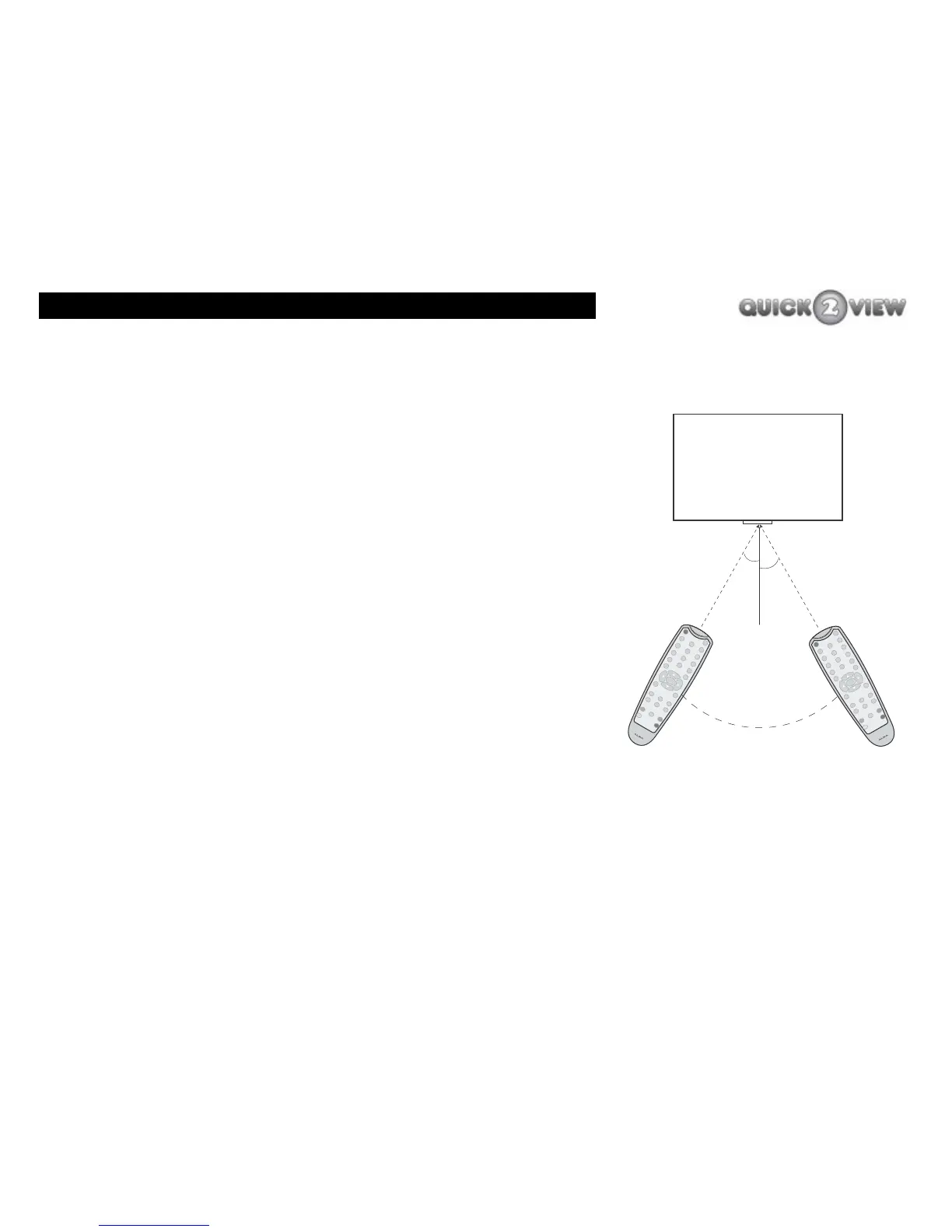
The remote control communicates with the main unit using an
infrared link between the sensor on the remote control and the
sensor on the front of the main unit.
The remote control can be used up to seven metres away at an
angle of 30 degrees to the main unit front panel, (see right). The
remote control will not work if there is something in the way of
the remote control and the main unit. Sunlight or very bright light
may mean the remote control does not work as well as usual.
How to use the remote control
1 Point the sensor end of the remote control (labelled
'Sensor' on the diagram on page 13) towards the
sensor in the centre of the panel on the front of the
main unit
2 Press the button for the channel you want.
3 The sensor on the front panel will flash red as it
receives your instruction from the remote control.
I
N
F
O
P
ROG
+
PRO
G-
3
9
R
E
C
A
L
L
E
X
I
T
6
WID
E
G
UI
DE
T
I
M
E
SU
B
TI
T
L
E
P
O
W
ER
MUT
E
1
2
7
8
0
V
O
L
-
V
O
L+
T
E
XT
M
E
NU
S
E
L
EC
T
5
4
INF
O
P
R
O
G
+
P
RO
G
-
3
9
R
E
C
A
L
L
EX
I
T
6
W
I
D
E
G
U
IDE
TI
M
E
SU
B
TI
T
L
E
P
O
WE
R
MU
TE
1
2
7
8
0
V
O
L
-
V
OL
+
T
E
XT
M
E
NU
S
E
L
E
C
T
5
4
30
o
set-top box
(viewed from above)
sensor window
30
o
7 metres maximum



 To Next Page