Basic operation
26
Digital channels are transmitted in standard and widescreen
formats. In particular, films and dramas tend to be broadcast in
widescreen format to give the effect of a cinema screen. Some
news programmes are also now shown widescreen.
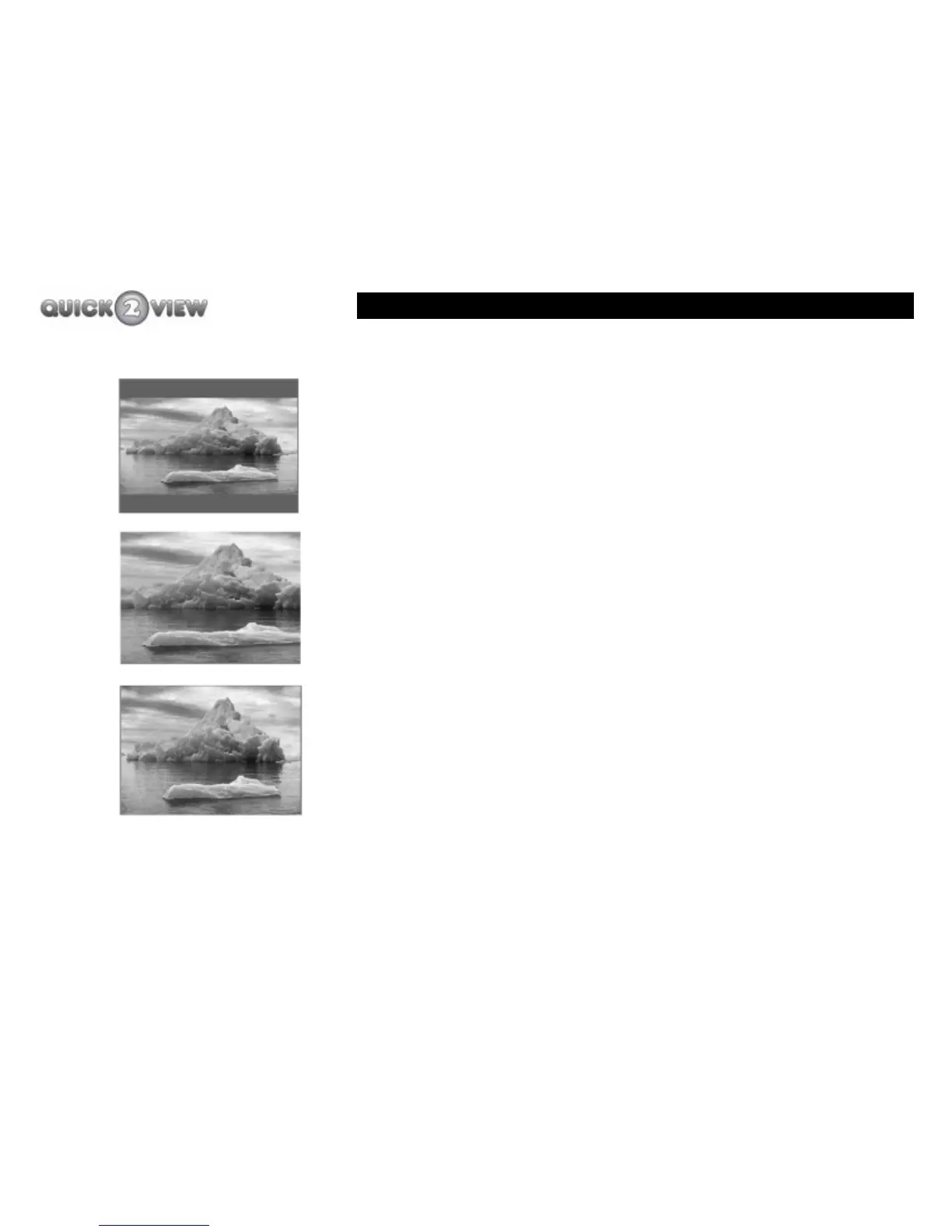
The 'WIDE' button allows you to choose how your TV displays a
film in widescreen format on a standard-format TV, or how your
TV displays a standard-format programme on a widescreen TV.
The 'WIDE' function gives you the following options.
• Letterbox. When a standard-format TV displays a
widescreen programme, your TV screen display with
horizontal black bars at the top and bottom of the
screen. This is the setting a standard-format TV will
choose automatically.
• Centre cutout. The picture will fill the whole height
of the screen but has the sides cut off to fill the full
width of the screen.
• Full frame. This matches the picture to the size of
the TV screen. The picture will appear squashed.
To change the viewing format of your TV screen, follow these
instructions.
1 Press the ‘WIDE’ button until the required format is
displayed.
Letterbox
Centre cutout
Full frame



 To Next Page