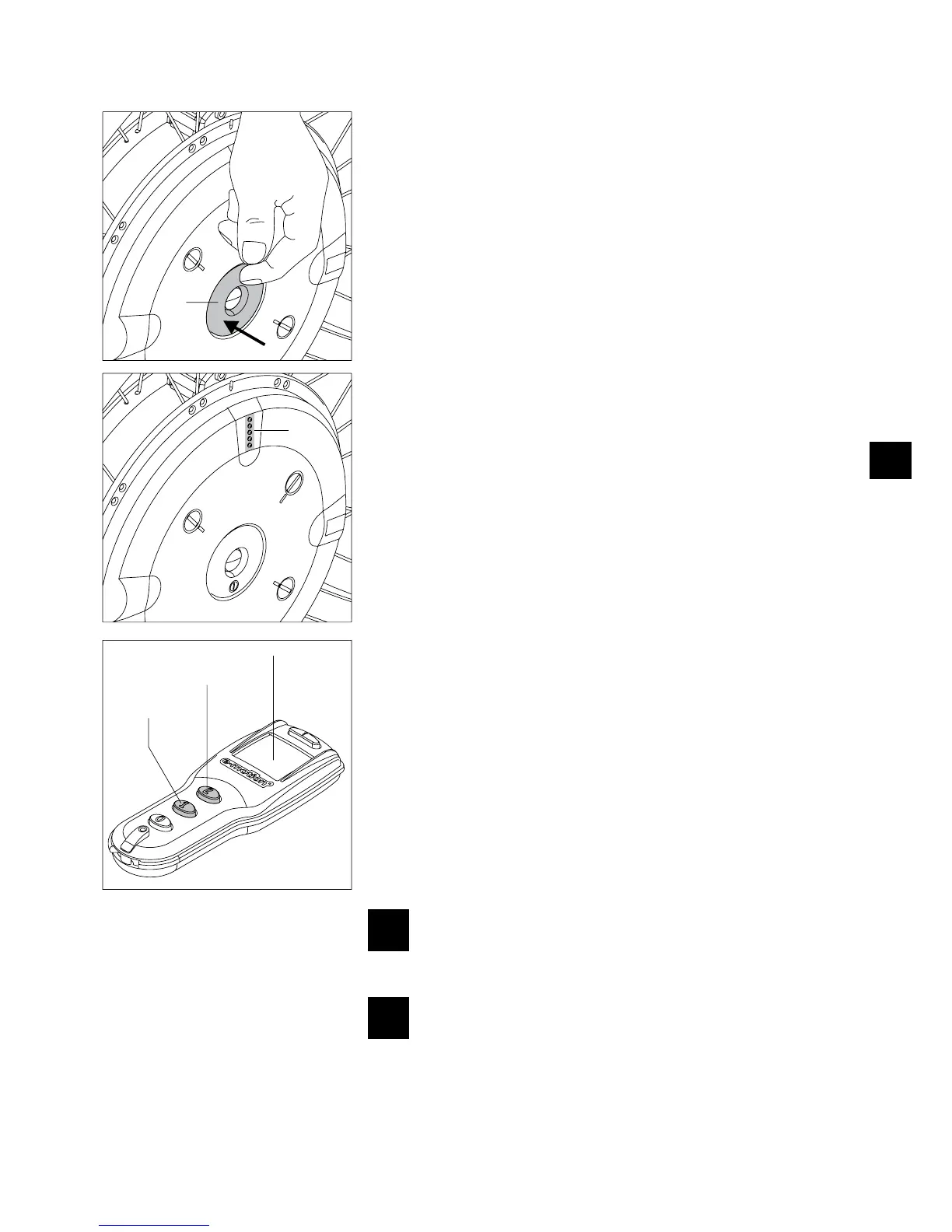
2.2 Switching on the wheels on the wheel hub
You can now switch on the system if the two e-motion wheels were correctly and securely
mounted to your wheelchair as described in Chapter 2.1.
Push the On/Off buttons [5], located in the wheel hub, for approximately one second.
•
e-motion with remote control (optional): •
Depending on the power stage used last (refer to chapter 6), an acoustic signal
sounds (one signal tone for power stage 1, two signal tones for power stage 2).
e-motion with remote control (optional): •
A signal tone sounds.
All five LEDs [1] of the display light up briefly and then change to the display status
•
for the charge status of the battery pack (see Chapter 5.1).
The wheel is operational after approx. 2 3 seconds and you can start driving. Please
•
note the instructions in Chapters 3 and 11.
Note
If the switched on wheels are not used, they switch off automatically after a predefined
period (refer to the information in Chapter 7).
2.3 Switching on the wheels with the remote control (optional)
Instead of activating the wheels via the On/Off switch [5] in the wheel hub, they can
also be switched on by the optionally available remote control.
When pushing button 1 [23], both wheels are switched on in power stage 1 and one
•
signal tone each sounds on the wheels.
When pushing button 2 [22], both wheels are switched on in power stage 2 and two
•
signal tones each sounds on the wheels.
After the wheels have been switched on, the charge status of the two battery packs and
the selected power stage are indicated on the display [21].
Please refer to Chapter 9 for a detailed description of this and other functions, displays
and possible error messages.
A fault is present if no or more than 2 signal tones sound when
switching on the wheels. Do not use or operate, and refer to Chap-
ters 5.3 or 9.4.
For e-motion systems without remote control, switch on the wheels
one after the other and not at the same time. Activating the wheels
at the same time can cause you not to hear possible warning signals
(see Chapter 5.3) or allocating them to the wrong wheel.



 To Next Page