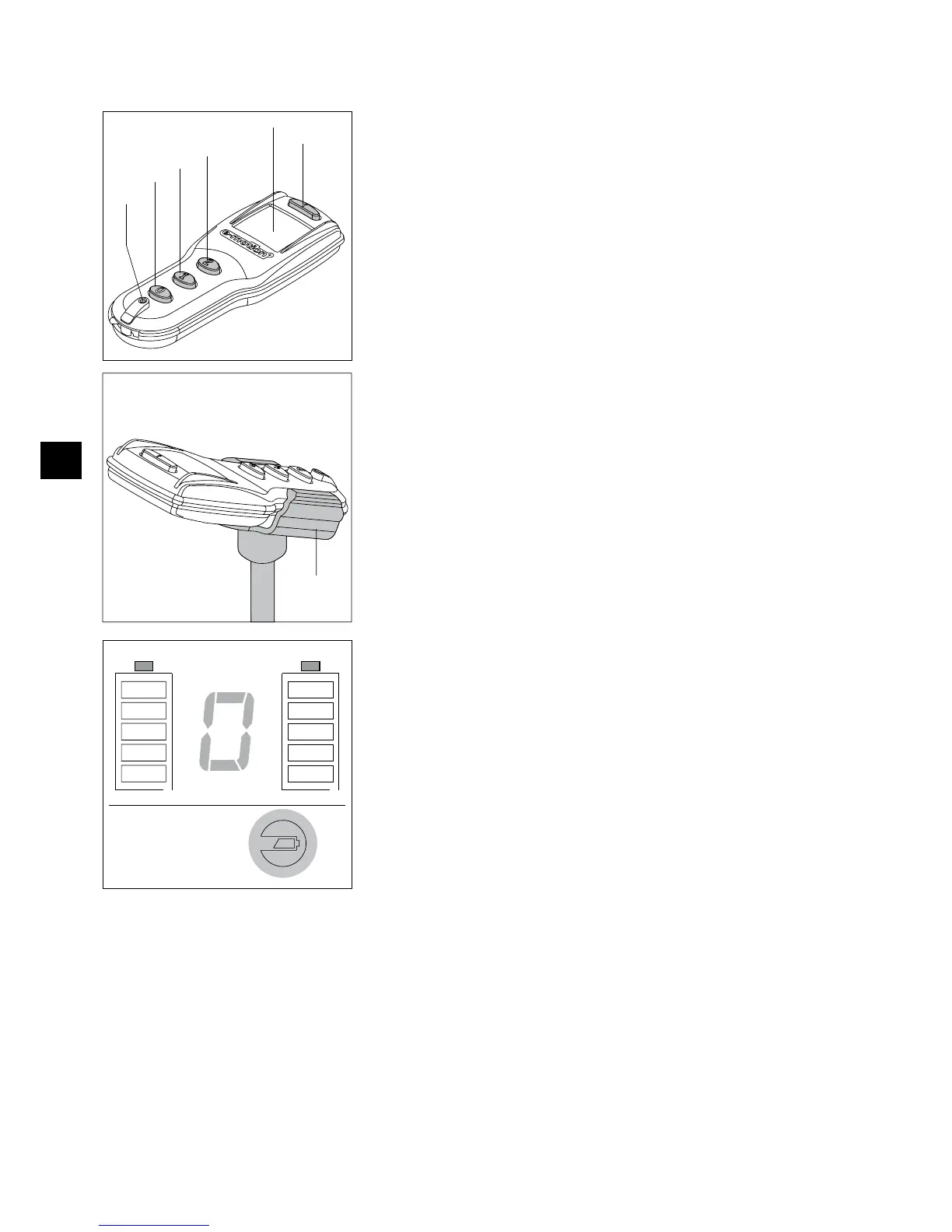
9. Remote control (optional)
9.1 Operating controls
They mean:
Information button [20] to retrieve the current operating status (with the wheels
•
switched on) as well as activate or deactivate the button lock.
Display [21] for the optical indication.
•
Button 2 [22] to simultaneously switch on both e-motion wheels in power stage 2 as •
well activate or deactivate the rollback lock (see chapter 6.3).
Button 1 [23] to simultaneously switch on both e-motion wheels in power stage 1 as
•
well activate or deactivate the rollback lock (see chapter 6.3).
Button 0 [24] to simultaneously switch off both e-motion wheels.
•
RESET button [25] to program the wheels. •
Never push this button since the parameters stored in the software of the •
wheel may otherwise change requiring them to be reset by the specialist
dealer.
An optional bracket [17] is available to store the remote control on the wheelchair.
Activation / deactivation of the button lock
To prevent accidental activation of functions, the buttons of the remote control can be
locked. For this purpose, press the information button [20] two times in quick succes-
sion. The lock of the keypad will be shown in the display [21] as „L“ (alternating with
the displays of other functions already activated and an error display, if applicable).
The button lock remains active until it is canceled again. For this purpose,
press the information button [20] again two times in quick succession.
Based on an average daily use of the remote control, the life of the battery already
inserted at the factory is roughly 5 years.
If the battery replacement becomes necessary, the battery symbol lights up at the lower
right part of the display during all display situations.
The battery may only be replaced by the specialist dealer authorized by Alber.



 To Next Page