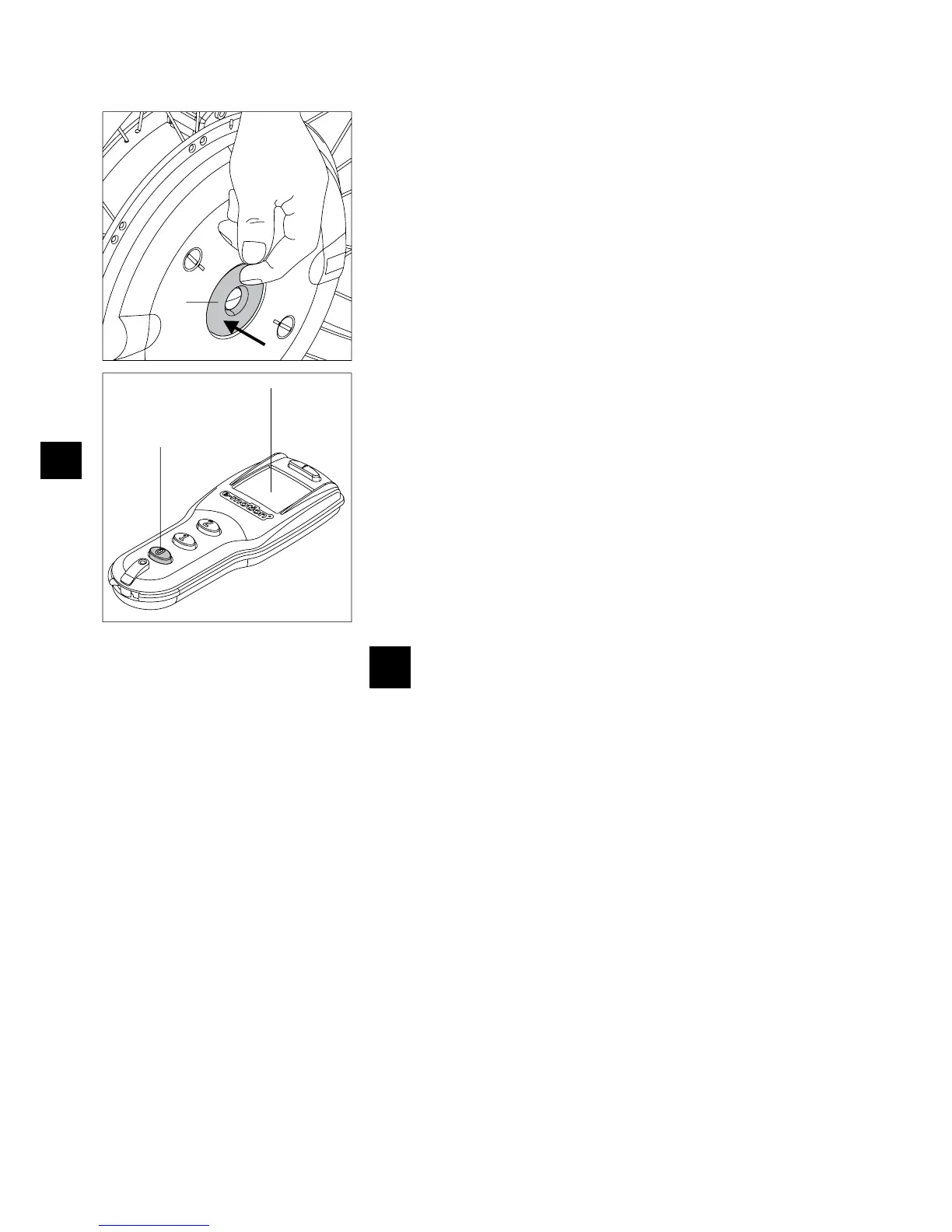
2.4 Switching off the wheels on the wheel hub
After you are done driving, always switch off the two e-motion wheels and engage the
parking brakes on the wheelchair. This will save the energy of the two battery packs and
prevents a possibly inadvertent rolling away of your wheelchair.
Push the On/Off buttons [5], located in the wheel hub, for approximately one second.
•
To confirm the switch-off, an acoustic signal (1 beep) sounds on each wheel. •
The LED [1] on the wheels goes off. •
Secure your wheelchair against unintentional roll away by engaging the parking brakes •
of the wheelchair.
2.5 Switching off the wheels with the remote control (optional)
Please proceed as follows if you are switching off the wheels with the optional remote
control:
Push the „0“ [24] button; both wheels are switched off at the same time.
•
To confirm the switch-off, an acoustic signal (1 beep) sounds on each wheel. •
The LED [1] on the wheels goes off. •
The display (21) goes off after approx. 5 seconds. •
Secure your wheelchair against unintentional rolled away by pulling the parking •
brakes of the wheelchair.
Please refer to Chapter 9 for a detailed description of this and other functions, displays
and possible error messages.
The e-motion wheels are not quipped with their own built-in brakes.
It is therefore absolutely necessary to properly adjust the brakes
installed on your wheelchair to the e-motion wheels to prevent the
wheelchair from unintentionally rolling away. Please contact your
specialist dealer in this regard.



 To Next Page