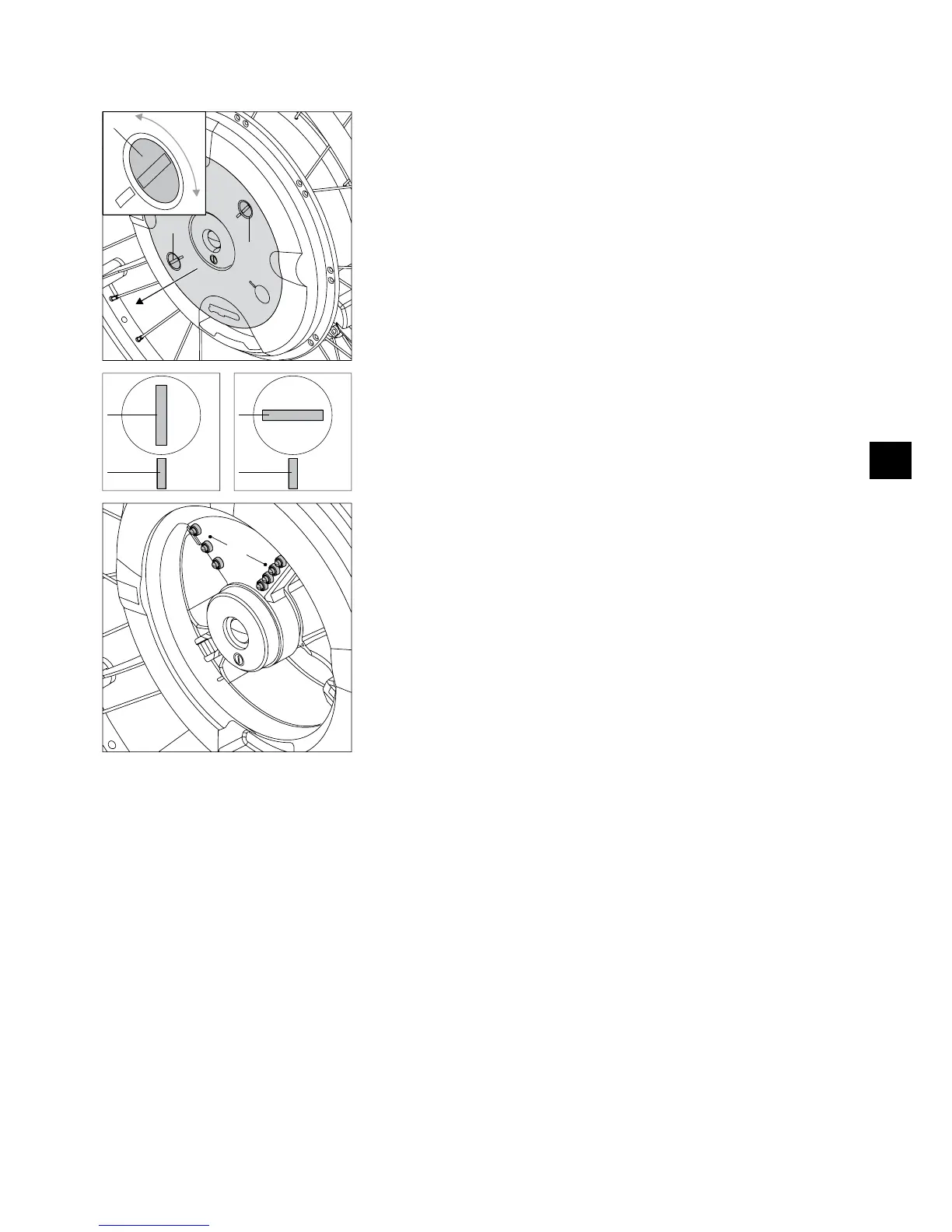
4.6 Inserting the battery pack
Carry out the following steps to insert a battery pack again in the wheel hub:
Wheel
Insert a coin into the slot [32] of one of the two locking pins [19].
•
Push the locking pin [19] slightly toward the inside and turn it by approx. 90 degrees •
until the slot [32] and the marks [33] of the cover [18] are properly aligned (refer to
the graphic illustration). This releases the locking pin and it jumps out slightly.
The graphical illustration explains:
A= locking pin locked
B= locking pin released
Repeat the procedure with the second locking pin.
•
Remove the cover [18] from the wheel hub and store it for future transports of the •
wheel.
Check if moisture is present inside the wheel hub. Dry wet spots immediately with a
•
clean, dry cloth.
Check if dirt or foreign objects (especially metal shavings, small nails or other con-
•
ducting metals) are present inside the wheel hub and remove them.
Dry and clean especially the battery contacts [10] inside the wheel hub if necessary.
•



 To Next Page