8AL90344ENAAed01 20
OmniTouch™ 8128 SE WLAN Handset
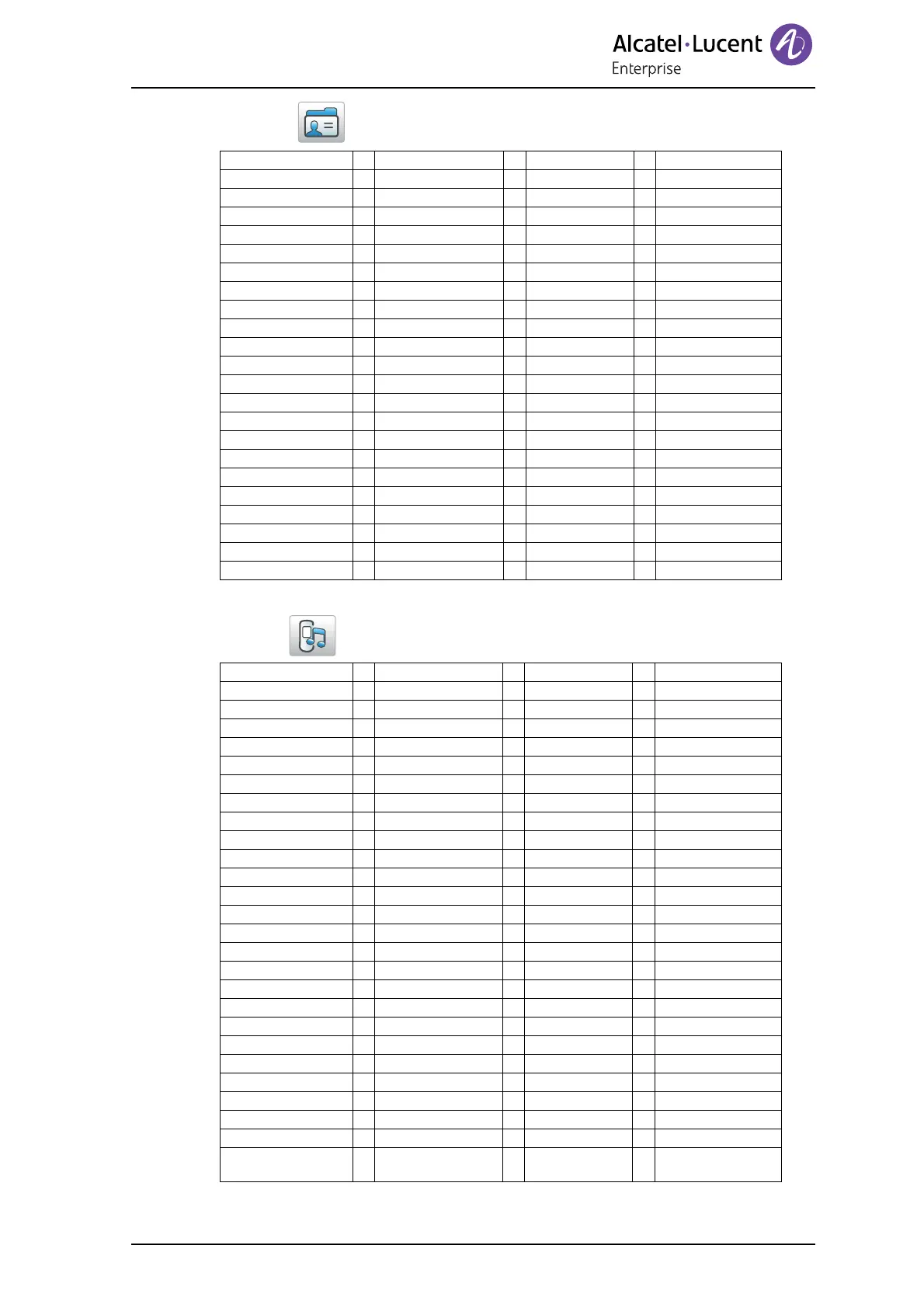
5.2 Contacts
5.3 Profiles
Call contact > Search
From contact list
Add contact > New > Name >
Work number >
Mobile number >
Other number >
Ring signal >
From call list >
Edit contact > Search
From contact list > Name
Work number
Mobile number
Other number
Ring signal >
Delete contact > Search
From contact list >
Central Phonebook
1
1. This function is system dependent.
> Search by name > Call
(First name:) More > View contact
(Last name:) Add to cont.
Search by number > Call
(Phone number:) More > (same as above)
Last result > Call
More > (same as above)
Normal/Profile X > Name
Volume >
Ring signals > Internal call > Play
Back
External call > (same as above)
Callback > (same as above)
Vibrating alert > On
On if silent
Off
Key sound > Click
Tone
Silent
Answering > Answering key > Call key
Any key
> Answer behavior > Automatically
Loudspeaking
Divert calls
1
1. Depends on the VoIP protocol used.
> All calls > Enter number
Off
No reply > (same as above)
When busy > (same as above)
Soft keys > Left > Name
Function
Value
Control question
Middle > (same as above)
Right > (same as above)
Add new > (same as Normal
above)












 To Next Page