8AL90344ENAAed01 9
OmniTouch™ 8128 SE WLAN Handset
3. Description
3.1 WLAN Handset
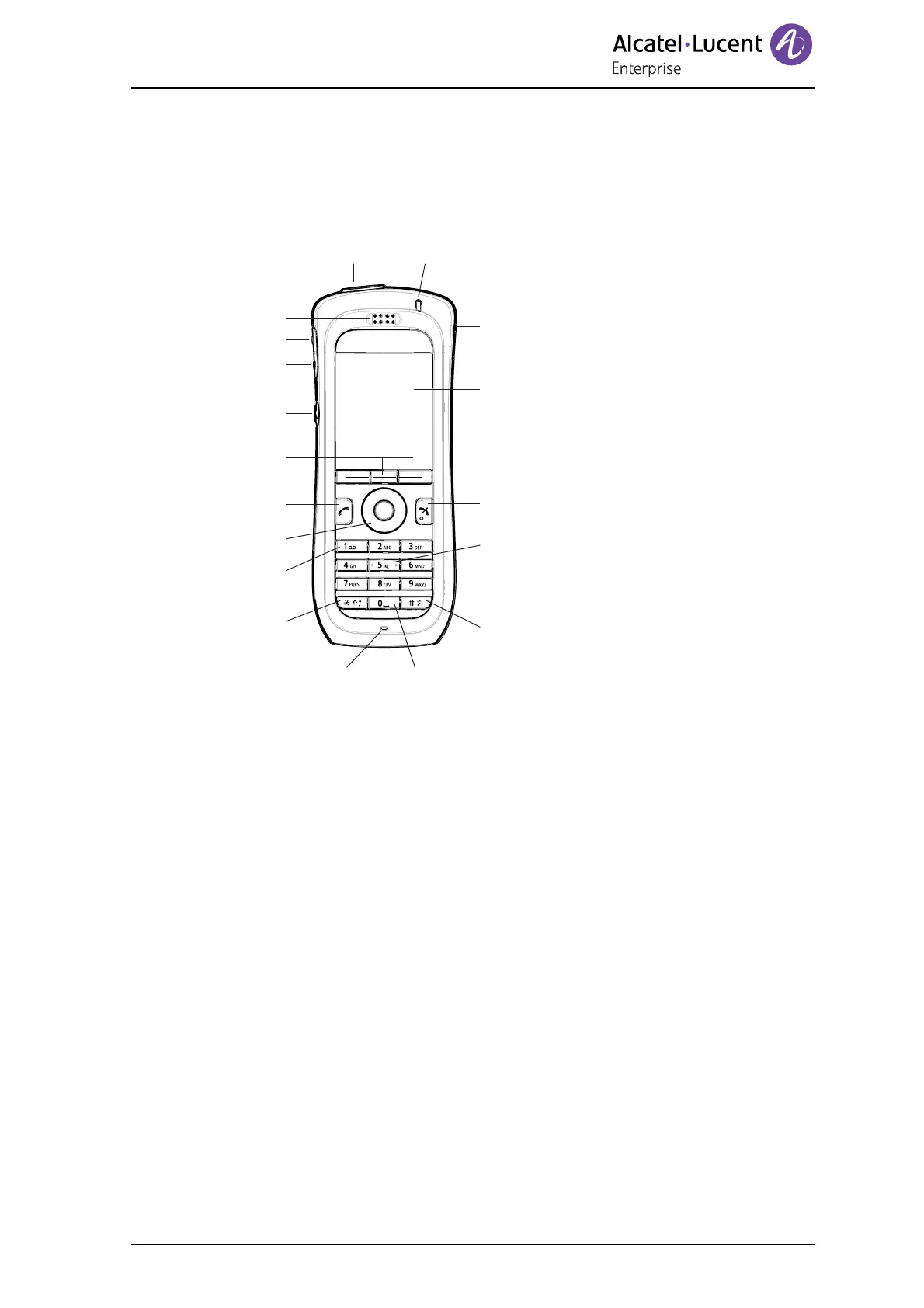
Figure 1. The WLAN Handset.
1 Multifunction
1
This button can be used as a shortcut to functions; long or double press
modes.
2 Earpiece speaker
3 Volume button (up)
To increase the earpiece speaker, headset, and the loudspeaker volume.
4 Volume button (down)
To decrease the earpiece speaker, headset, and the loudspeaker volume.
5 Mute button
To turn on/off audible signals in standby mode, or silencing the ring signal at
incoming call. During a call, a long press on the button changes between
microphone on/off.
6 Soft keys
The three Soft keys can be pre-programmed, see 7.4.1 Define Soft Keys on
page 38, or used with the GUI. The function of each Soft key is indicated by
text in the display just above the keys.
7 Call key
To answer a call, to pre-dial a number, and used as a shortcut to the Call list.
1
2
3
4
5
6
7
8
9
10
11
13
14
15
16
17
18
12












 To Next Page